
My lab tests show TradingView leads the way for global markets, community, and charts, perfect for traders who want more than just US stocks. Trade Ideas excels in real-time stock scanning and AI-powered alerts for day traders.
TradingView vs. Trade Ideas Summary
Trade Ideas focuses on US stocks, whereas TradingView supports stocks, forex, crypto, and futures across over 70 exchanges worldwide.
TradingView specializes in powerful charting and a strong community, while Trade Ideas delivers real-time, AI-powered trade signals for day traders. They are both excellent trading platforms, but they differ significantly.
TradingView Lab Ratings
TradingView is the world’s premier trading platform, trusted by over 20 million active traders. It offers a seamless blend of powerful charting tools, advanced screening features, and in-depth analysis, covering a wide range of assets, including stocks, indices, ETFs, and cryptocurrencies.
| Test | Tier | Score | Average |
|---|---|---|---|
| Composite Lab Performance Score | AAA | 4.75 | 4.21 |
| Pricing Index: $ per Day | AA | $1.97 | $2.74 |
| Value Score (VP) | AA | 4.37 | 2.82 |
| Speed & Ease of Use | AAA | 5.00 | 4.50 |
| Chart Analysis Depth Index | AAA | 5.00 | 3.17 |
| Chart Pattern Depth & Accuracy | B | 3.98 | 2.73 |
| Scanning Performance | AAA | 4.83 | 3.38 |
| Backtesting Performance | A | 4.19 | 3.38 |
| Trading Bot & Auto-Trading Reliability | B | 3.50 | 2.50 |
| AI & Algo Index | A | 4.00 | 2.00 |
| Alert Speed | AA | 4.67 | 3.67 |
| Trade Signal Quality | C | 2.50 | 0.00 |
| Broker Connectivity & Ecosystem Depth | AAA | 5.00 | 1.55 |
| Portfolio Tool Performance | B | 3.60 | 2.80 |
| Financial News Speed & Depth | B | 3.00 | 2.30 |
| Community Utility Index (CUI) | AAA | 5.00 | 3.25 |
| Support Infrastructure & SLA Audit | B | 3.25 | 3.75 |
Tested using benchmarking system v3.
See the 2026 v3 58-point TradingView test and benchmarks.
Pros
✔ 20 million users sharing ideas
✔ AAA Speed & ease of use
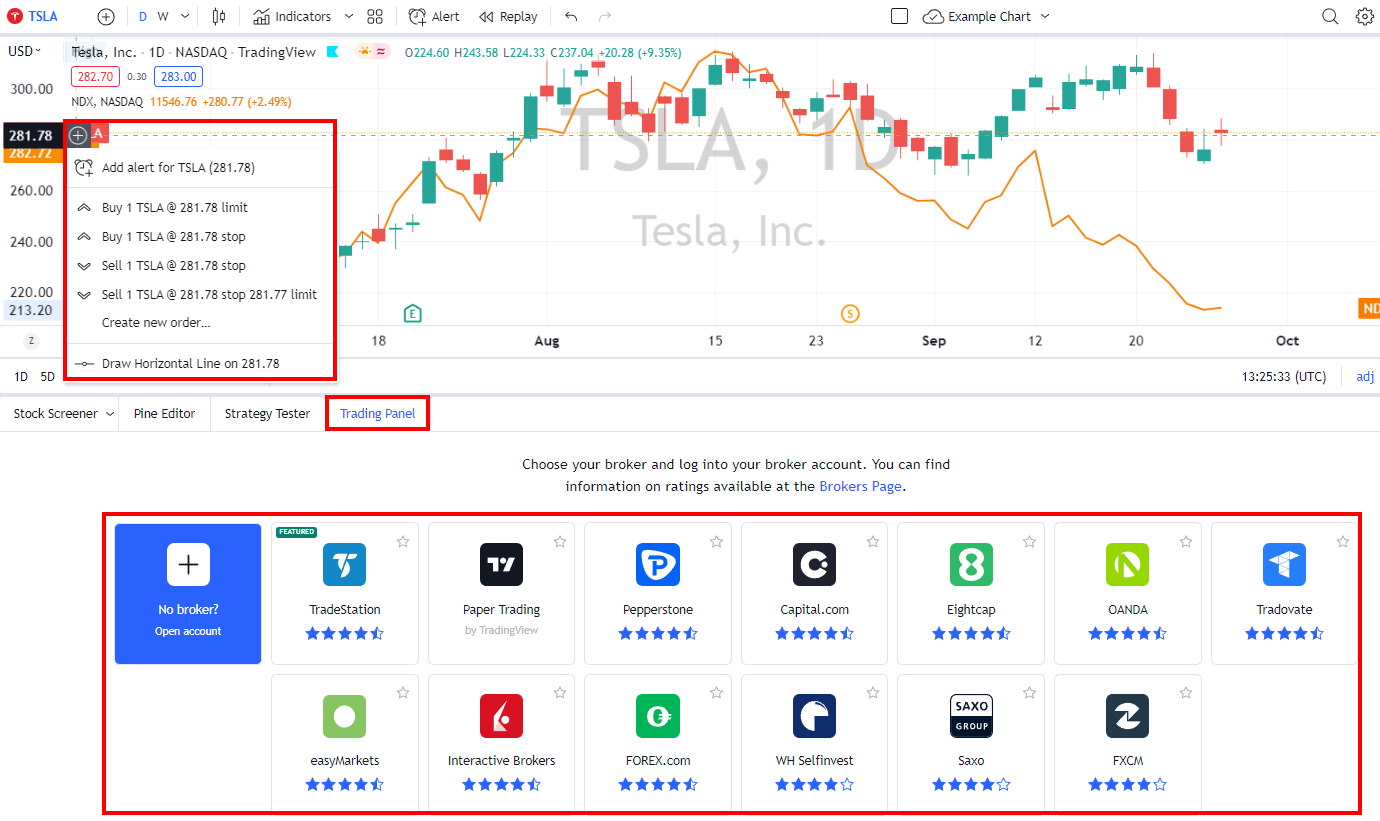
✔ Trading from charts
✔ Powerful screening and technical analysis
✔ All stock exchanges globally
✔ AAA Broker connectivity and asset coverage
✔ 100,000+ user-generated strategies
✔ Free and low-cost plans
✔ Flexible backtesting with Pine Script
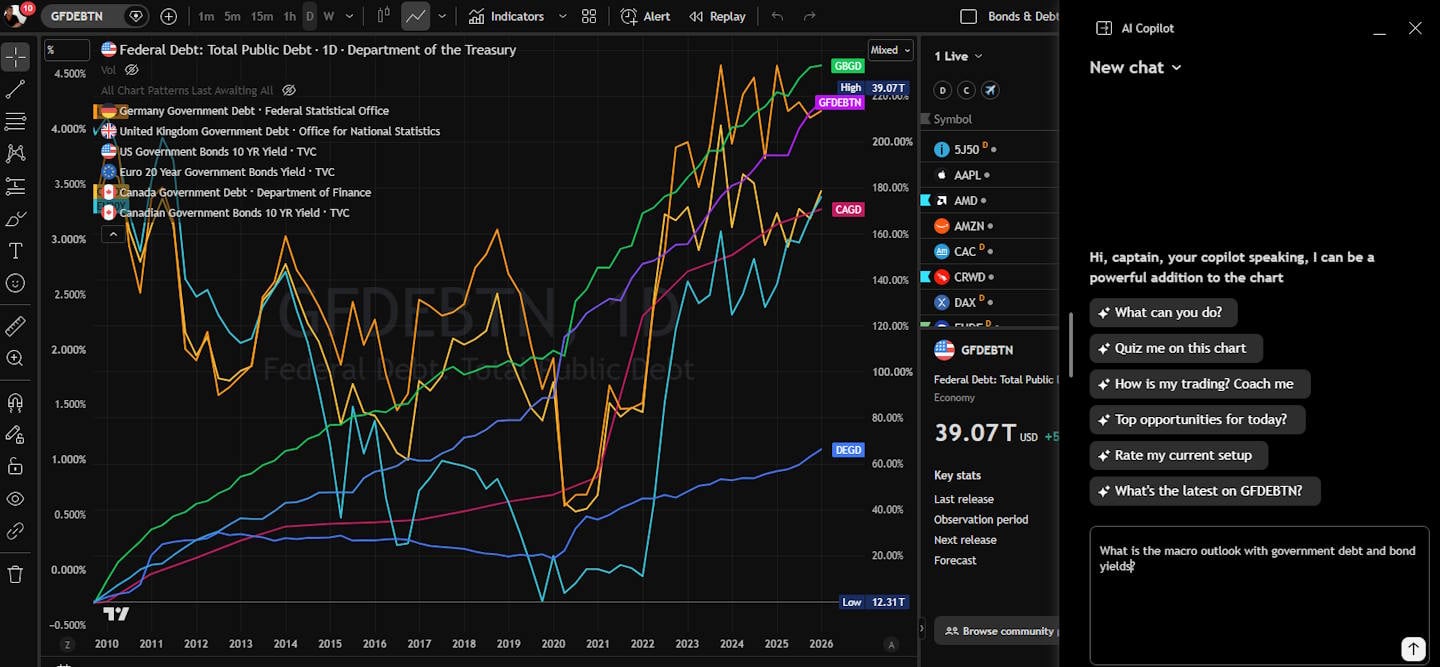
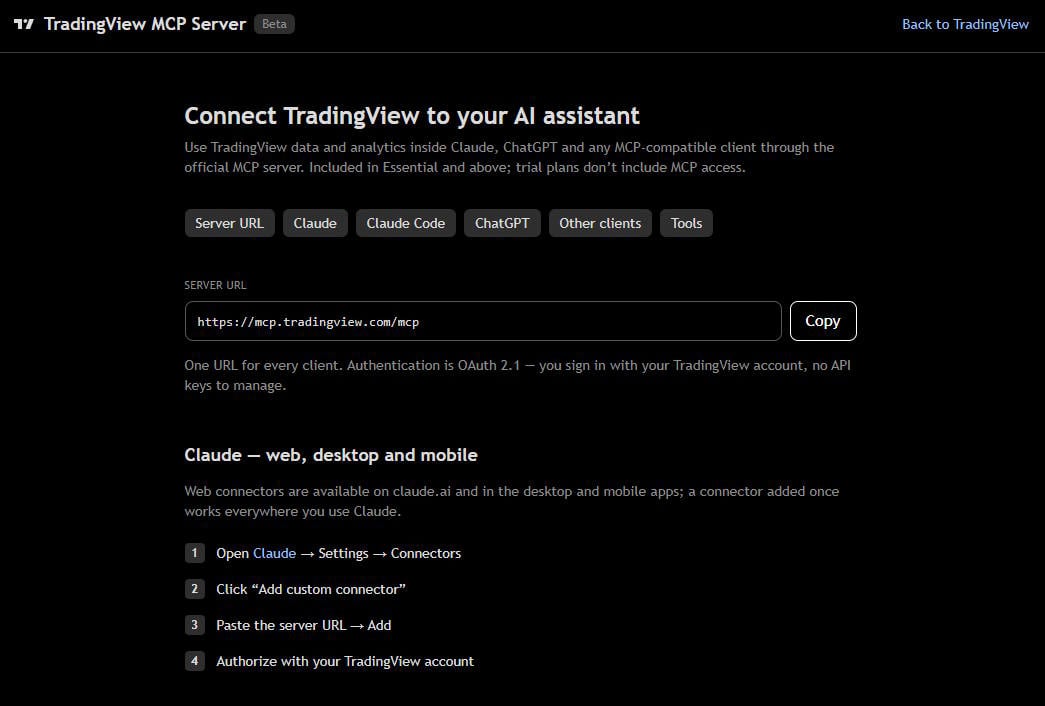
✔ New ChatBot & AI MCP Servers
Cons
✘ Not ideal for value or dividend investors
✘ Coding skills required for backtesting and custom indicators
✘ Average portfolio tools

TradingView provides best-in-class technical analysis tools to analyze financial markets. It offers heatmaps, super charts, indicators, strategy development tools, and backtesting capabilities.
Its vibrant community of traders shares ideas, strategies, and custom indicators, making it an invaluable resource for learning and collaboration.
Trade Ideas Lab Ratings
My in-depth testing shows that Trade Ideas is the ultimate black-box, AI-powered day-trading signal platform with built-in automated bot trading. Three automated Holly AI systems pinpoint trading signals for day traders. Trade Ideas promises and delivers market-beating returns.
| Test | Tier | Score | Average |
|---|---|---|---|
| Lab Test Composite Score | AA | 4.52 | 4.21 |
| Pricing Index: $/day | A | $5.85 | $2.74 |
| Value Score (VP) | A | 4.03 | 2.82 |
| Speed & Ease of Use | AA | 4.50 | 4.50 |
| Chart Analysis Depth Index | C | 2.93 | 3.17 |
| Chart Pattern Depth & Accuracy | AA | 4.62 | 2.73 |
| Scanning Performance | B | 3.88 | 3.38 |
| Backtesting Performance | AA | 4.38 | 3.38 |
| Trading Bot & Auto-Trading Reliability | A | 4.00 | 2.50 |
| AI & Algo Index | AA | 4.50 | 2.00 |
| Alert Speed | A | 4.00 | 3.67 |
| Trade Signal Quality | AAA | 5.00 | 0.00 |
| Broker Connectivity & Ecosystem Depth | C | 2.40 | 1.55 |
| Portfolio Tool Performance | C | 2.10 | 2.80 |
| Financial News Speed & Depth | C | 1.00 | 2.30 |
| Community Utility Index (CUI) | AAA | 4.75 | 3.25 |
| Support Infrastructure & SLA Audit | AA | 4.50 | 3.75 |
How We Test Trading Tools: Rating system V3.
See the 2026 v3. 58-point Trade Ideas Lab-test and benchmarks.
Pros
✔ 3 AI Trading Algorithms That Beat the Market
✔ Get A Free Holly AI Stock Trade Every Week
✔ Fully Automated Backtesting
✔ Exceptional Stock Scanning
✔ Specific Audited Trade Signals
✔ Auto-trading & broker integration
✔ Auto-trade commission-free with eTrade integration
✔ Free Live Trading Room
Cons
✘ Old School User Interface
✘ No Mobile App
Trade Ideas is best for active US day traders seeking real-time AI-driven high-probability trades, excellent stock scanning, and a live trading room to learn trading techniques.
Key Takeaways
- Trade Ideas leads in real-time stock scanning with AI support for day traders, but TradingView wins on charting and global reach
- TradingView gives you more bang for your buck, offering deep technical analysis tools and broad asset coverage
- Trade Ideas is US/Canada-focused with automated alerts, while TradingView caters to international traders and offers a thriving social community.
Features & Benefits
TradingView combines professional-grade charting with a social network where traders share ideas, tips, and strategies. The platform has over 20 million active users per month, covering stocks, bonds, futures, currencies, and cryptocurrencies. It connects with over 30 brokers, so you can actually trade from the charts if you want.
| Features | TradingView |
|---|---|
| Composite Lab Performance Score | 4.75 |
| ⚡ Features | Charts, News, Watchlists, Screening, Chart Pattern & Candlestick Recognition, Full Broker Integration |
| 🏆 Unique Features | Trading, Backtesting, Community, Global Stock, FX & Crypto Markets, Auto-Trading Webhook Bots (with Signal Stack) |
| 🎯 Best for | Stock, FX & Crypto Traders |
| ♲ Subscription | Monthly, Yearly |
| 💻 OS | Web Browser|PC |
| 🌎 Region | Global |
Trade Ideas focuses on stock scanning. It initially catered to professionals and hedge funds, but eventually opened up to regular traders. E*TRADE uses its tech under the hood, which says something. Trade Ideas zeroes in on stocks and options—that’s it. For trade execution, you’re limited to Interactive Brokers and E*TRADE.
| Features | Trade Ideas |
|---|---|
| Composite Lab Performance Score | 4.52 |
| ⚡ Features | Charts, Watchlists, Full Auto-Screening, Curated Screeners, Money Machine |
| 🏆 Unique Features | AI Trade Signals, Auto-Trading, Trading Room, Trading Competitions |
| 🎯 Best for | US Day Traders (Stocks) |
| ♲ Subscription | Monthly, Yearly |
| 💻 OS | Web Browser|PC |
| 🌎 Region | USA |
TradingView Screenshot Gallery
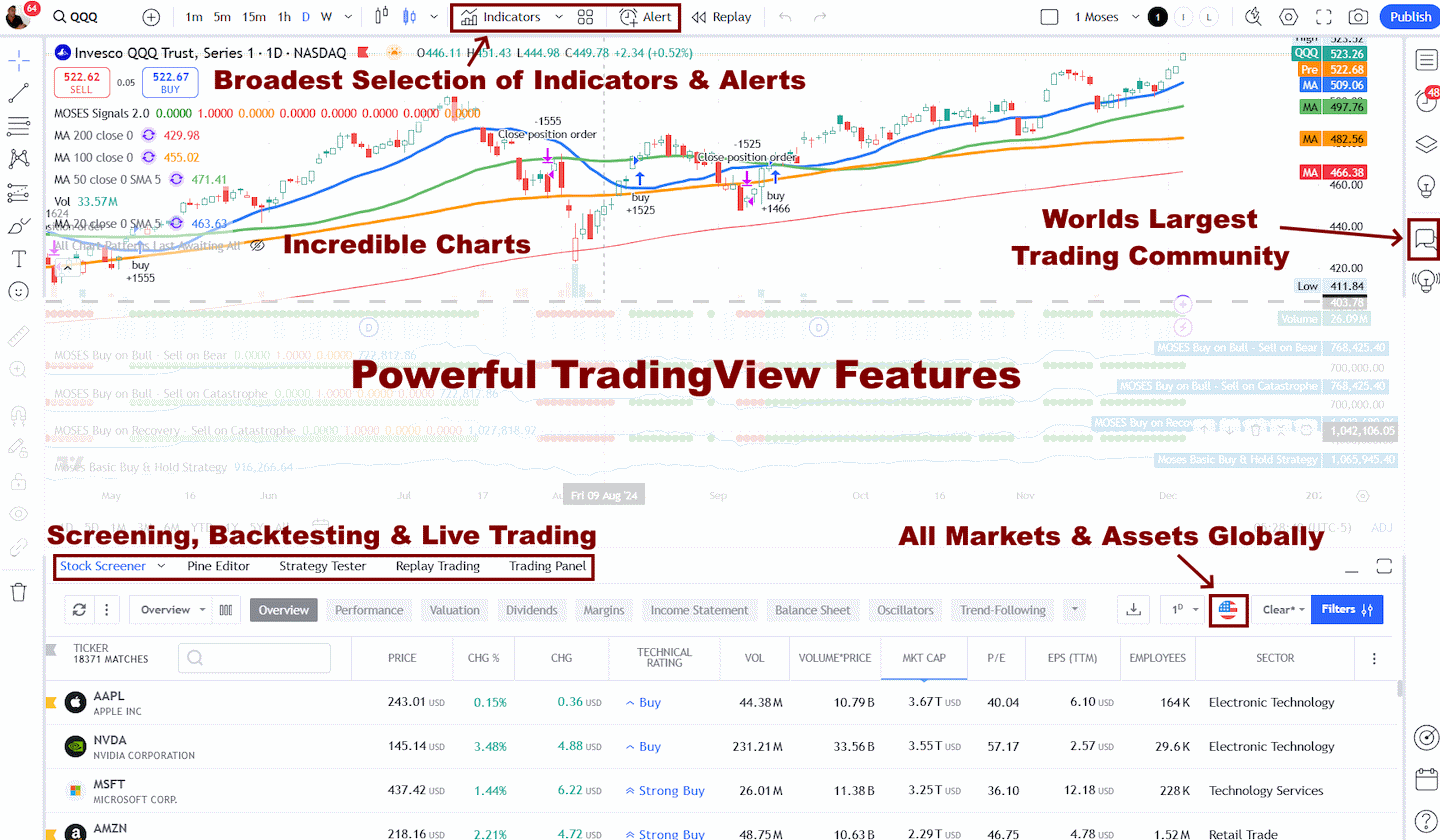
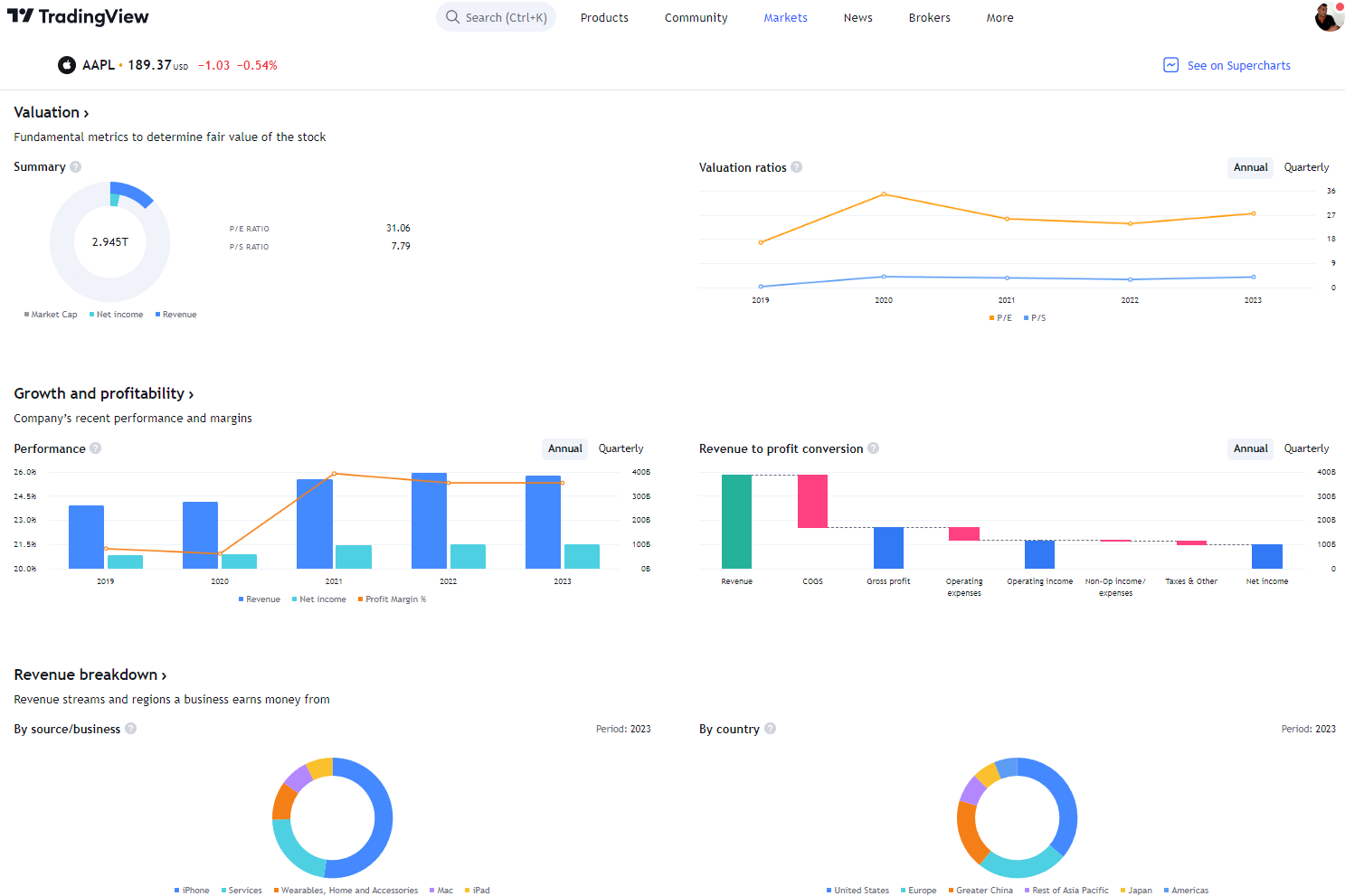
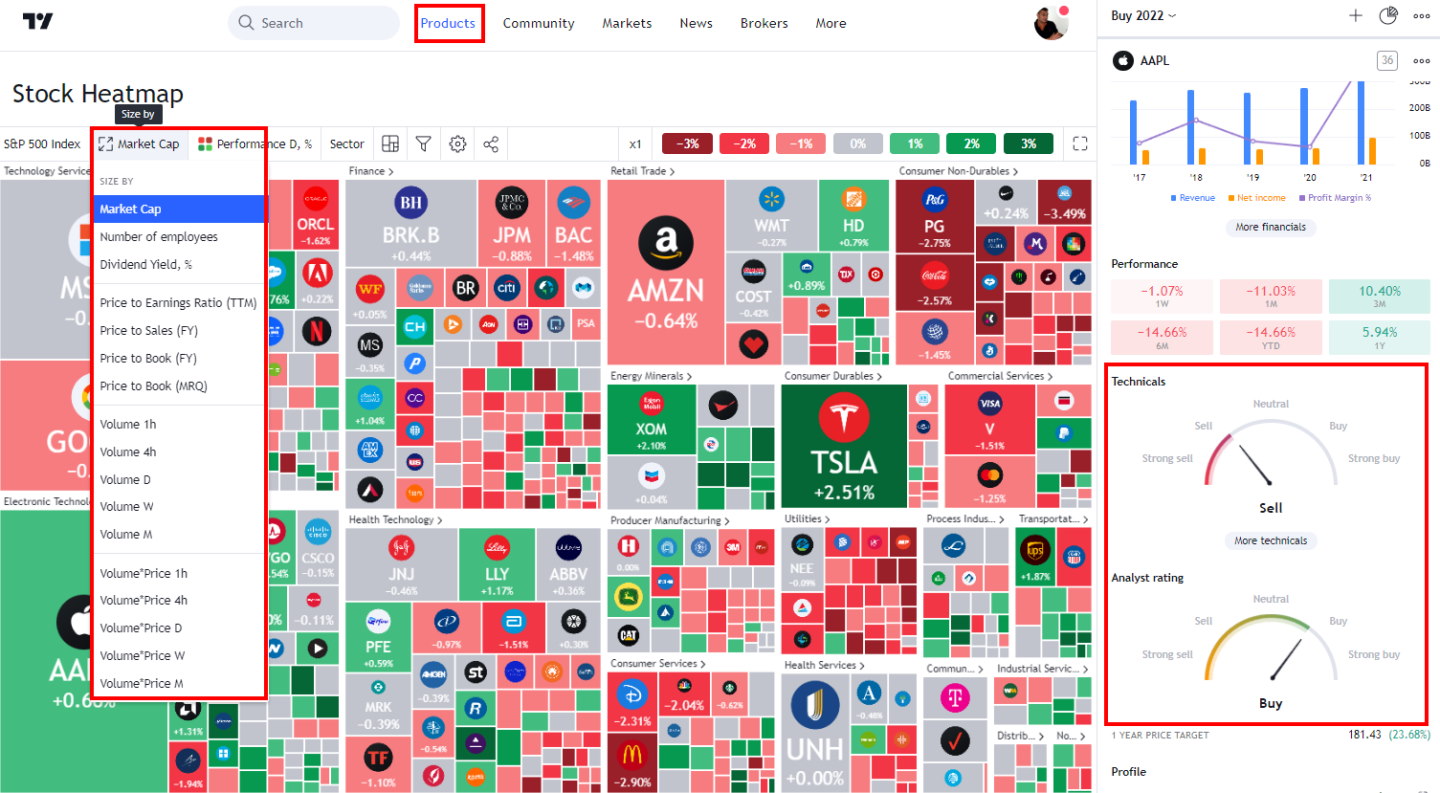
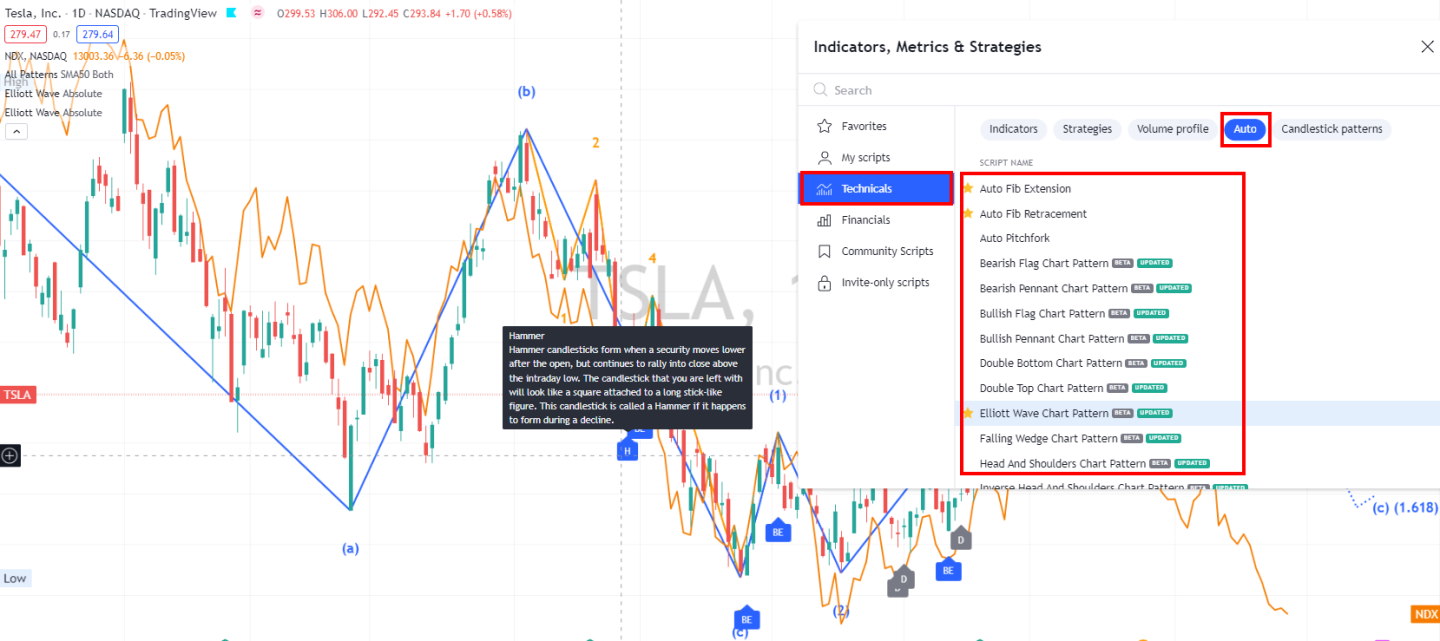

Which is Best For You?
Trade Ideas is primarily designed for active day traders who require instant signals and automated scans, although its charting capabilities are relatively basic. Its core audience is seasoned traders and institutions. Holly AI pulls all-nighters running simulations to surface high-probability trades for the next day. If you’re firing off trades all session, this can be a game-changer.
| Features | TradingView |
|---|---|
| Rating | 4.75 |
| Global Market Data | ✔ |
| Powerful Charts | ✔ |
| Stocks | ✔ |
| Futures | ✔ |
| Forex | ✔ |
| Cryptocurrency | ✔ |
| Social Community | ✔ |
| Real-time News | ✘ |
| Screeners | ✔ |
| News Scanning | ✘ |
| Backtesting | ✔ |
| Code-Free Backtesting | ✘ |
| Automated Analysis | ✔ |
TradingView’s broader toolkit, fundamental data, and social features make it more attractive to a wide range of traders—and it’s much more budget-friendly.
TradingView is a magnet for beginner and experienced traders who love technical analysis and community. Its easy interface works for beginners learning the ropes and pros who want to go deep. Forex and crypto traders, in particular, benefit greatly from its multi-asset coverage, and new traders can glean valuable insights from veterans. Additionally, strategy backtesting is built into every subscription.
| Features | Trade Ideas |
|---|---|
| Rating | 4.52 |
| Global Market Data | USA |
| Powerful Charts | ✘ |
| Stocks | ✔ |
| Futures | ✘ |
| Forex | ✘ |
| Cryptocurrency | ✘ |
| Social Community | ✔ |
| Real-time News | ✘ |
| Screeners | ✔ |
| News Scanning | ✘ |
| Backtesting | ✔ |
| Code-Free Backtesting | ✘ |
| Automated Analysis | ✔ |
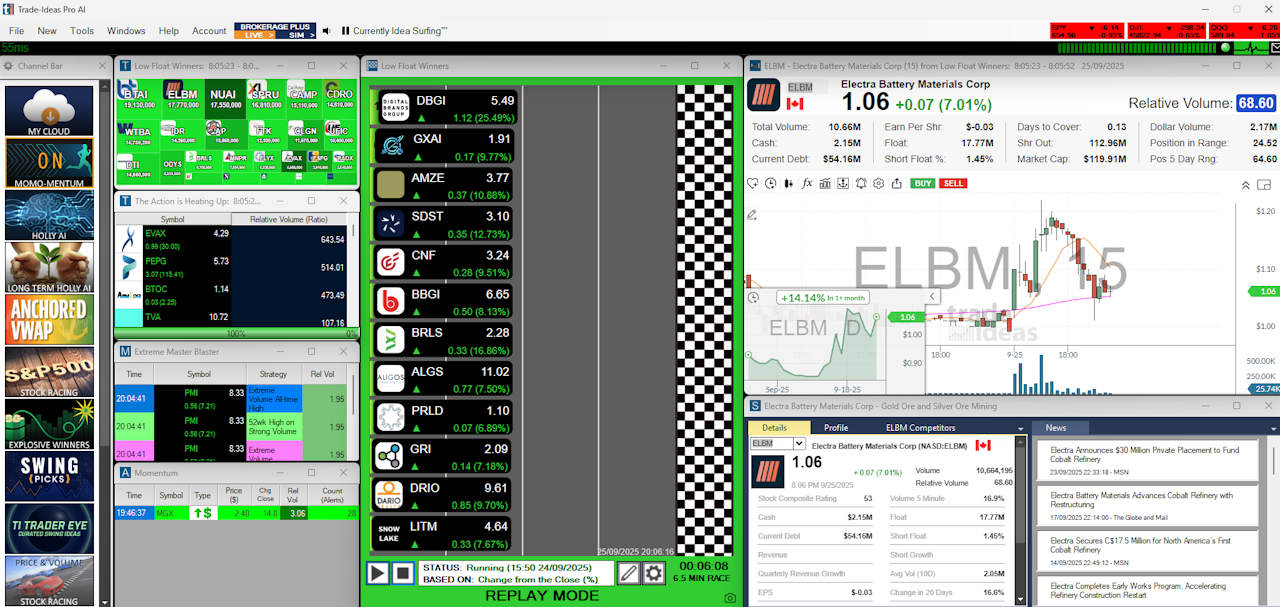
Trade Ideas Screenshot Gallery



Save 28% on Trade Ideas Premium
Our 4.52 ⭐ #1 Rated AI Day Trading Tool
☆ Code "TITREAT28" ☆
Deal Ends In:
Plans & Pricing
TradingView employs a freemium model with several subscription levels, whereas Trade Ideas offers paid plans only.
TradingView Pricing
| Lab Test Ratings | TradingView |
|---|---|
| Pricing Index: $ per Day | $1.97 |
| Value Score (VP) | 4.37 |
| Free Plan | ✔ |
TradingView pricing starts at $0 for the Basic, ad-supported plan, which includes ad-supported screening, charting, trading, scripting, backtesting, and three indicators per chart. The Free plan is a great way to test the service.
TradingView Essential costs $12.95/mo on an annual plan and is ad-free. It includes two charts per layout, five indicators per chart, and 20 alerts. It is ideal for beginners and also enables access to the full social network.
The annual Plus Plan at $29.95/mo adds four charts per tab, 100 alerts, and advanced Renko, Kagi, Point & Figure, and Line Break charts.
I personally use TradingView Premium at $59.95/mo annually; it offers the optimal balance of price and key functionality: 25 indicators per chart, 400 alerts, and, most importantly, automated chart pattern recognition.
It is designed for intermediate and advanced-level traders who seek the optimal balance between functionality and price.
See our TradingView Pricing Guide for further details and discounts.
Trade Idea Pricing
| Lab Test Ratings | Trade Ideas |
|---|---|
| Pricing Index: $ per Day | $5.85 |
| Value Score (VP) | 4.03 |
| Free Plan | ✘ |
Trade Ideas’ Standard Plan costs $127/mo or $89/mo on an annual plan. It includes a live trading room, broker integration, streaming trade ideas, paper trading, and powerful scanning and charting. It excludes auto-trading and AI trading signals.
Although Trade Ideas Standard costs $127 per month, you can save $456 with an annual subscription at $1,068 — a 29.9% discount.
The Premium Plan costs $254/mo or $178/mo on an annual plan, and adds AI trading signals, backtesting, customization, and auto trading. Trade Ideas Premium costs $254 per month, but you can save $912 by purchasing an annual subscription for $2136, a 29.9% discount.
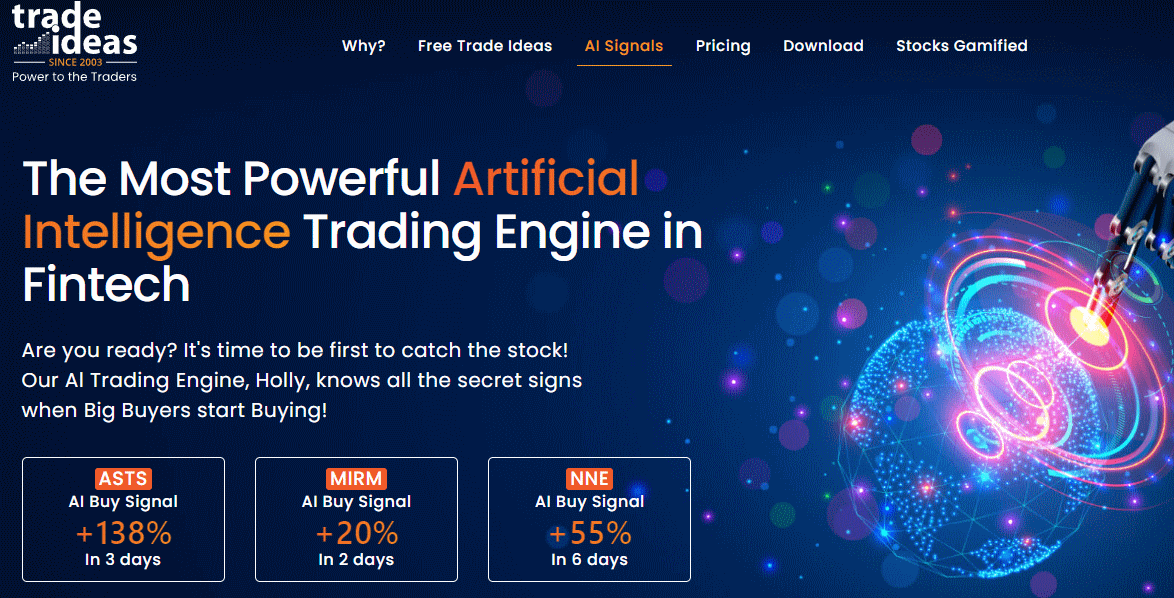
Premium adds Trade Ideas’ 1st Gen AI Signals (Holly) on top of everything in Basic, plus backtesting, Smart Risk Levels, the Channel Bar’s curated templates, and the RBI/GBI windows for popular intraday setups. Holly delivers ready-to-use trade ideas with defined entry and exit points in real time.
Charting and Technical Analysis
TradingView Charts
TradingView wins this section, offering an exceptional selection of chart drawing tools, including features not available on other platforms. These include extensive Gann & Fibonacci tools, 65 drawing tools, and hundreds of icons for your charts, notes, and ideas.
| Lab Test Ratings | TradingView |
|---|---|
| Speed & Ease of Use | 5.00 |
| Chart Analysis Depth Index | 5.00 |
| Chart Pattern Depth & Accuracy | 3.98 |
| Scanning Performance | 4.83 |
| Financial News Speed & Depth | 3.00 |
TradingView arguably offers the most comprehensive charting platform available. 160 different indicators and unique specialty charts such as LineBreak, Kagi, Heikin Ashi, Point & Figure, and Renko, you have everything you need as a day trader or swing trader.
Pine Script allows you to create custom indicators. The platform recognizes candlestick and price patterns and can alert you when they pop up.
Trade Ideas Charts
Trade Ideas offers basic charting because its AI does the work for you. The one area in which I felt let down was the ability to perform my own technical analysis. Most technical analysis software, backtesting, and charting platforms offer at least 50 different technical analysis tools. Trade Ideas does not play that game, enabling only volume, moving averages, VWAP, and trendlines.
The lack of indicators is a drawback for Trade Ideas compared to TradingView, which offers 160 indicators and chart types.
| Lab Test Ratings | Trade Ideas |
|---|---|
| Speed & Ease of Use | 4.50 |
| Chart Analysis Depth Index | 2.93 |
| Chart Pattern Depth & Accuracy | 4.62 |
| Scanning Performance | 3.88 |
| Financial News Speed & Depth | 1.00 |
One could suggest that the design remit eliminates the need for you to perform your own technical analysis by running all the backtests and identifying all the opportunities for you, which is a unique approach.
You can analyze stocks, ETFs, forex, commodities, bonds, and cryptocurrencies- essentially anything- across timeframes ranging from minutes to months.
Scanning
Trade Ideas runs what’s probably the most advanced stock scanner available to regular traders. You can operate dozens of screens at once during the session, with data refreshing every few seconds.
| Lab Test Ratings | TradingView |
|---|---|
| Scanning Performance | 4.83 |
| Alert Speed | 4.67 |
| Financial News Speed & Depth | 3.00 |
The scanner has 40 pre-built scans—bullish, bearish, or neutral. You’ll find things like “Unusual Social Mentions” (for tracking hype) and “Down Big Yesterday, Up Big Today” (for reversals).

Holly, their AI assistant, provides you with entry signals and suggested exits, all based on risk. The Oddsmaker backtesting tool lets you see how strategies and indicators would have performed historically.
TradingView’s screeners are solid and cover stocks, forex, and crypto, but they don’t go as deep as Trade Ideas. That said, you get broader coverage and tight integration with their charting tools.
| Lab Test Ratings | Trade Ideas |
|---|---|
| Scanning Performance | 3.88 |
| Alert Speed | 4.00 |
| Financial News Speed & Depth | 1.00 |
You can set up custom screening parameters on both, but Trade Ideas allows you to run more screens simultaneously. TradingView’s screener feels more like an extension of its charting, which is great for all-in-one analysis.
Real-Time Data, News & Alerts
Both platforms deliver the essentials: real-time data, smart alerts, and backtesting. Trade Ideas leans into AI automation, while TradingView prioritizes customizable charting.
| Lab Test Ratings | TradingView |
|---|---|
| Alert Speed | 4.67 |
| Trade Signal Quality | 2.50 |
| Financial News Speed & Depth | 3.00 |
Real-Time Quotes and Data Access
TradingView gets its real-time data from direct exchange partnerships, but you’ll have to pay extra for each exchange beyond the basics. It covers stocks, forex, cryptocurrencies, and commodities worldwide.
You can use delayed data for free, but if you want those real-time quotes, you’ll need to pay for the add-ons. The data seamlessly integrates with the charts, supporting multiple timeframes and assets simultaneously.
Trade Ideas includes real-time streaming data in all its subscriptions, but it’s primarily focused on US stocks and options. Their data feeds power the AI scans and alerts, running through proprietary infrastructure for speed and accuracy.
Both deliver solid data quality, but TradingView offers a global reach, while Trade Ideas provides deeper insights into the US market.
| Lab Test Ratings | Trade Ideas |
|---|---|
| Alert Speed | 4.00 |
| Trade Signal Quality | 5.00 |
| Financial News Speed & Depth | 1.00 |
Alert Systems and Notifications
Trade Ideas utilizes Holly, its AI alert engine, to scan markets and automatically surface trading opportunities. It looks for patterns using technicals, volume, and price action—no need to set anything up yourself.
Pre-built scanners trigger alerts for events such as breakouts, momentum, and unusual volume. You can tweak alert settings and get notifications in the app, by email, or on your phone.
TradingView lets you set up manual alerts based on indicators, price levels, or custom formulas. You can stick alerts right on the charts using drawing tools or trendlines.
Conditional alerts enable you to combine multiple criteria, and notifications can be sent to your browser, mobile app, email, or even third-party services via webhooks.
AI, Algorithms & Auto-Trading
Trade Ideas wins this section, thanks to its robust use of artificial intelligence, particularly with its Holly AI system. This AI-powered algorithm chews through market data and spits out specific trading signals—entry and exit points all mapped out for you.
| Lab Test Ratings | Trade Ideas |
|---|---|
| Trading Bot & Auto-Trading Reliability | 4.00 (Brokerage Plus) |
| AI & Algo Index | 4.50 (Holly AI) |
| Trade Signal Quality | 5.00 |
| Broker Connectivity & Ecosystem Depth | 2.40 3 brokers |
They’ve got three separate AI trading algorithms that constantly backtest every stock in the US and Canadian markets. Holly keeps things transparent with audited results and pushes out high-probability trades in real time.
Trade Ideas AI Features:
Trade Ideas really shines if you want automated trade discovery, while TradingView gives you surgical control over custom alerts—ideal for hands-on analysts.
- Holly AI signal generation
- Automated backtesting
- Real-time trade alerts
- Performance auditing
TradingView, on the other hand, doesn’t have dedicated AI trading algorithms. Instead, it shines in pattern recognition and technical analysis tools.
Auto-Trading Capabilities:
Trade Ideas connects with Interactive Brokers, E*TRADE, and eSignal for automated trade execution. With Brokerage Plus, you can auto-trade straight from your scans—no manual clicking required.
TradingView handles auto-trading via webhooks and API connections, which means you can hook up with a bunch of third-party brokers and platforms worldwide.
| Feature | TradingView |
|---|---|
| AI Algorithms | ✘ |
| Auto-Trading | ✔ (Webhooks) |
| Broker Integration | 50+ brokers |
| Pattern Recognition | Flexible |
Both platforms get you into algorithmic trading, but they cater to different crowds. Trade Ideas is all about AI-powered signals, while TradingView is more suited for those who want to tinker with technical analysis and build their own algorithms.
Social and Collaborative Features
TradingView outperforms Trade Ideas across social trading, collaboration, and sharing; the difference is significant. TradingView has built a huge social trading network—20 million users swap chart analyses and strategies. Trade Ideas? Nothing!
| Lab Test Ratings | TradingView |
|---|---|
| Community Utility Index (CUI) | 5.00 |
| Support Infrastructure & SLA Audit | 3.25 |
TradingView is a full-on social trading platform. Traders share ideas, post charts, and discuss moves across stocks, cryptocurrencies, and foreign exchange. You can follow the hotshots, comment on charts, or just lurk and pick up tips.
Chart, Scan, Trade & Join Me On TradingView for Free
Join me and 20 million traders on TradingView for free. TradingView is a great platform for connecting with other investors, sharing ideas, creating charts, and engaging in live chat.
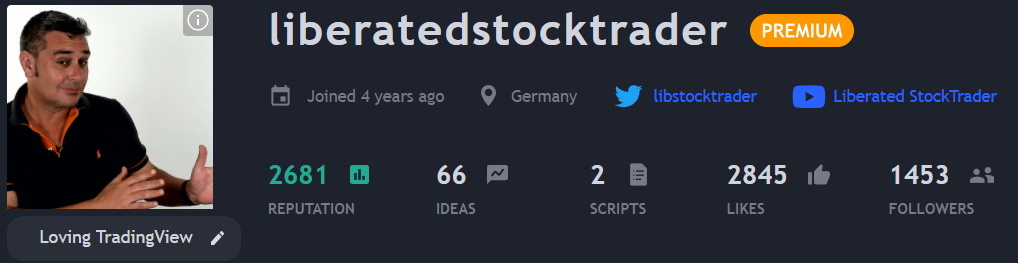
Its social features allow you to publish trading ideas with detailed explanations and receive feedback from the crowd. There’s always a stream of trending ideas and educational content if you’re looking to learn from others.
If you’re active, you can build a following and a reputation for your analysis. TradingView even shows performance stats for published ideas, so you can figure out who’s worth listening to.
TradingView goes big on sharing tools. You can publish annotated charts, add indicators, and share your analysis either publicly or just with your team. Embedding charts on your own site or socials is a breeze.
Backtesting & Paper Trading
Trade Ideas packs in some solid backtesting tools that let you run strategies against historical data. You can check out performance metrics like win rates, profit factors, and maximum drawdown over different timeframes—pretty helpful if you like to see the numbers before diving in.
| Lab Test Ratings | Trade Ideas |
|---|---|
| Backtesting Performance | 4.38 |
| Trade Signal Quality | 5.00 |
| Broker Connectivity & Ecosystem Depth | 2.40 |
With its paper trading, you get to execute virtual trades that mirror real market conditions. The system keeps tabs on your P&L, open positions, and all the stats—no risk, just practice.
TradingView lets you backtest, but only with Pine Script, so you’ll need to roll up your sleeves and code custom strategies and run historical tests. If you’re into building complex algorithms, you’ll find plenty of analytics to dig into.
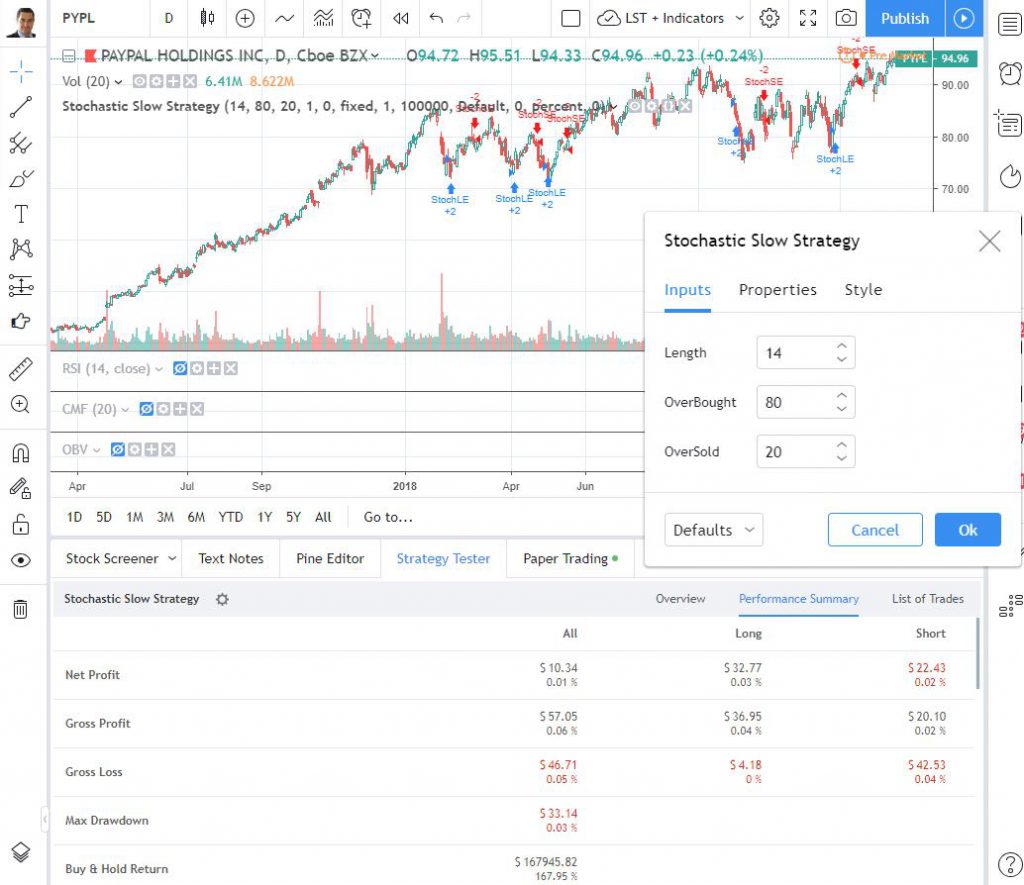
Their simulator covers paper trading for multiple asset classes and order types. You can try out strategies in live market conditions and see how your ideas hold up, all while tracking detailed stats.
Both platforms enable you to refine your strategies using historical analysis. Just keep in mind that TradingView’s advanced backtesting requires a bit more technical know-how.
FAQ
What are the differences between TradingView and Trade Ideas?
TradingView delivers a monster set of charting tools—over 100 technical indicators—and taps into global markets (stocks, forex, crypto, futures). It’s built for traders across all asset classes, with a wealth of fundamental and technical analysis built in.
Trade Ideas sticks to stock scanning for the US and Canadian markets. You’ll find over 500 alerts and filters, all running in real-time, for those who want to act quickly. There’s Holly, the AI assistant, backtesting 60 strategies daily on Trade Ideas. TradingView doesn’t have an AI like that, but its analytical depth is quite impressive.
How does TradingView’s charting compare to Trade Ideas?
TradingView’s charting is next-level with 16 chart styles, over 100 indicators, and 90+ drawing tools. You can even use Pine Script to create your own indicators, plus there’s a huge library of community-built ones.
Trade Ideas? It features basic candlestick charts and a range of indicators, including RSI, MACD, volume, VWAP, and moving averages. The charts are quick and functional—ideal for fast analysis, but not for in-depth exploration.
Is TradingView or Trade Ideas better for day traders?
If you are an active pattern day trader, my testing shows that Trade Ideas is better because it utilizes AI and Algorithms to identify specific trades to execute. TradingView is better for day traders who want full control of their analysis.
How does the AI feature of Trade Ideas differ from what TradingView offers?
Trade Ideas features Holly, an AI trading assistant that backtests 60 strategies daily and provides specific buy or sell signals based on historical performance. TradingView doesn’t have anything like Holly. You get pattern recognition tools that automatically spot chart patterns and candlestick formations, but they don’t spit out predictive trading recommendations.
