
TradingView wins my head-to-head lab test against MetaTrader, scoring a superior Composite Lab Performance Score of 4.75.
The difference is driven by TradingView’s stronger charting depth, broader pattern-recognition workflow, easier usability, better strategy-development environment, and unmatched global trading community. MetaTrader remains a serious platform, especially for Forex and CFD traders who prioritize broker-based execution, expert advisors, and low platform cost through their broker.
Lab Ratings
The two platforms are built for different users. TradingView is a social-first technical analysis powerhouse, combining global market coverage, powerful charts, Pine Script, screeners, alerts, strategy testing, broker connections, and community-shared indicators.
MetaTrader is a traditional desktop-based trading and execution platform, strongest in currency trading, automated expert advisors, and broker-distributed access. Based on my lab results, TradingView is the better all-round platform; MetaTrader is best for forex traders who want a familiar execution terminal and automated trading via broker-supported infrastructure.
I’ve spent years using both platforms across various market conditions and trading scenarios, and the choice between them ultimately depends on your specific trading needs.
Lab Results
TradingView scores 4.75 for its global community, advanced charting, robust backtesting, comprehensive news coverage, and powerful screening tools. MetaTrader lacks a connected social community, stock screening, broad asset coverage, and pattern recognition capabilities.
MetaTrader, like TradingView, provides over 100 chart indicators, but has only three chart types. TradingView offers every advanced chart you need, plus a social community of 50 million users and talented chartists who share ideas constantly.
Let’s take a look at the outstanding features head-to-head.
TradingView Lab Results
TradingView is the world’s premier trading platform, trusted by over 20 million active traders. It offers a seamless blend of powerful charting tools, advanced screening features, and in-depth analysis, covering a wide range of assets, including stocks, indices, ETFs, and cryptocurrencies.
| Test | Tier | Score | Average |
|---|---|---|---|
| Composite Lab Performance Score | AAA | 4.75 | 4.21 |
| Pricing Index: $ per Day | AA | $1.97 | $2.74 |
| Value Score (VP) | AA | 4.37 | 2.82 |
| Speed & Ease of Use | AAA | 5.00 | 4.50 |
| Chart Analysis Depth Index | AAA | 5.00 | 3.17 |
| Chart Pattern Depth & Accuracy | B | 3.98 | 2.73 |
| Scanning Performance | AAA | 4.83 | 3.38 |
| Backtesting Performance | A | 4.19 | 3.38 |
| Trading Bot & Auto-Trading Reliability | B | 3.50 | 2.50 |
| AI & Algo Index | A | 4.00 | 2.00 |
| Alert Speed | AA | 4.67 | 3.67 |
| Trade Signal Quality | C | 2.50 | 0.00 |
| Broker Connectivity & Ecosystem Depth | AAA | 5.00 | 1.55 |
| Portfolio Tool Performance | B | 3.60 | 2.80 |
| Financial News Speed & Depth | B | 3.00 | 2.30 |
| Community Utility Index (CUI) | AAA | 5.00 | 3.25 |
| Support Infrastructure & SLA Audit | B | 3.25 | 3.75 |
Tested using benchmarking system v3.
See the 2026 v3 58-point TradingView test and benchmarks.
Pros
✔ 20 million users sharing ideas
✔ AAA Speed & ease of use
✔ Trading from charts
✔ Powerful screening and technical analysis
✔ All stock exchanges globally
✔ AAA Broker connectivity and asset coverage
✔ 100,000+ user-generated strategies
✔ Free and low-cost plans
✔ Flexible backtesting with Pine Script
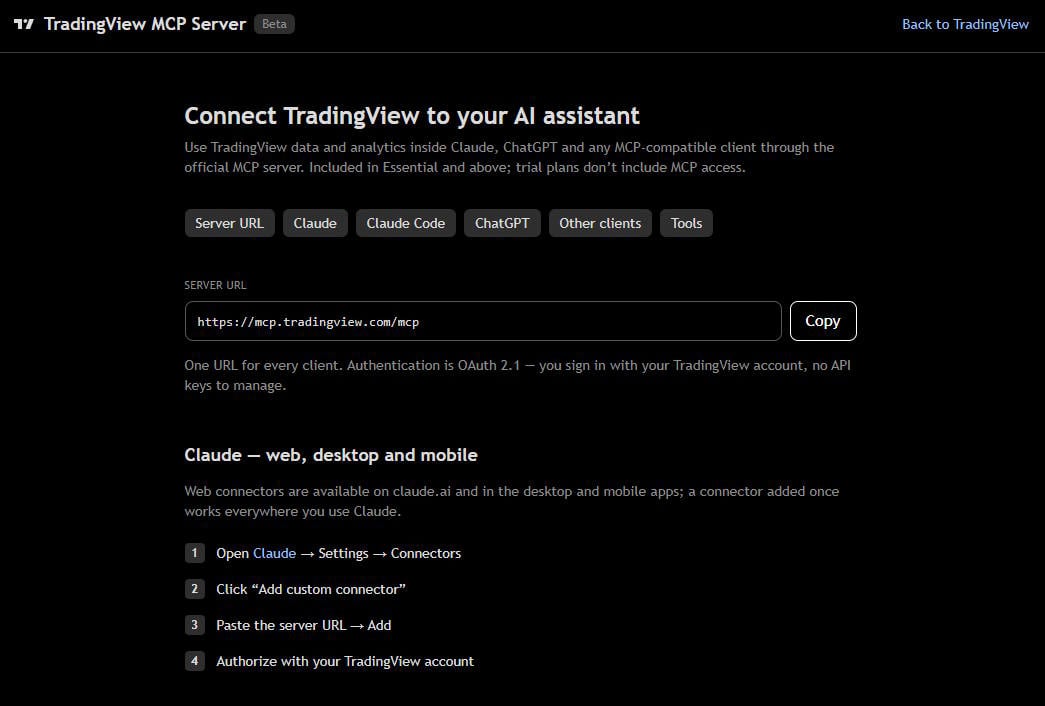
✔ New ChatBot & AI MCP Servers
Cons
✘ Not ideal for value or dividend investors
✘ Coding skills required for backtesting and custom indicators
✘ Average portfolio tools

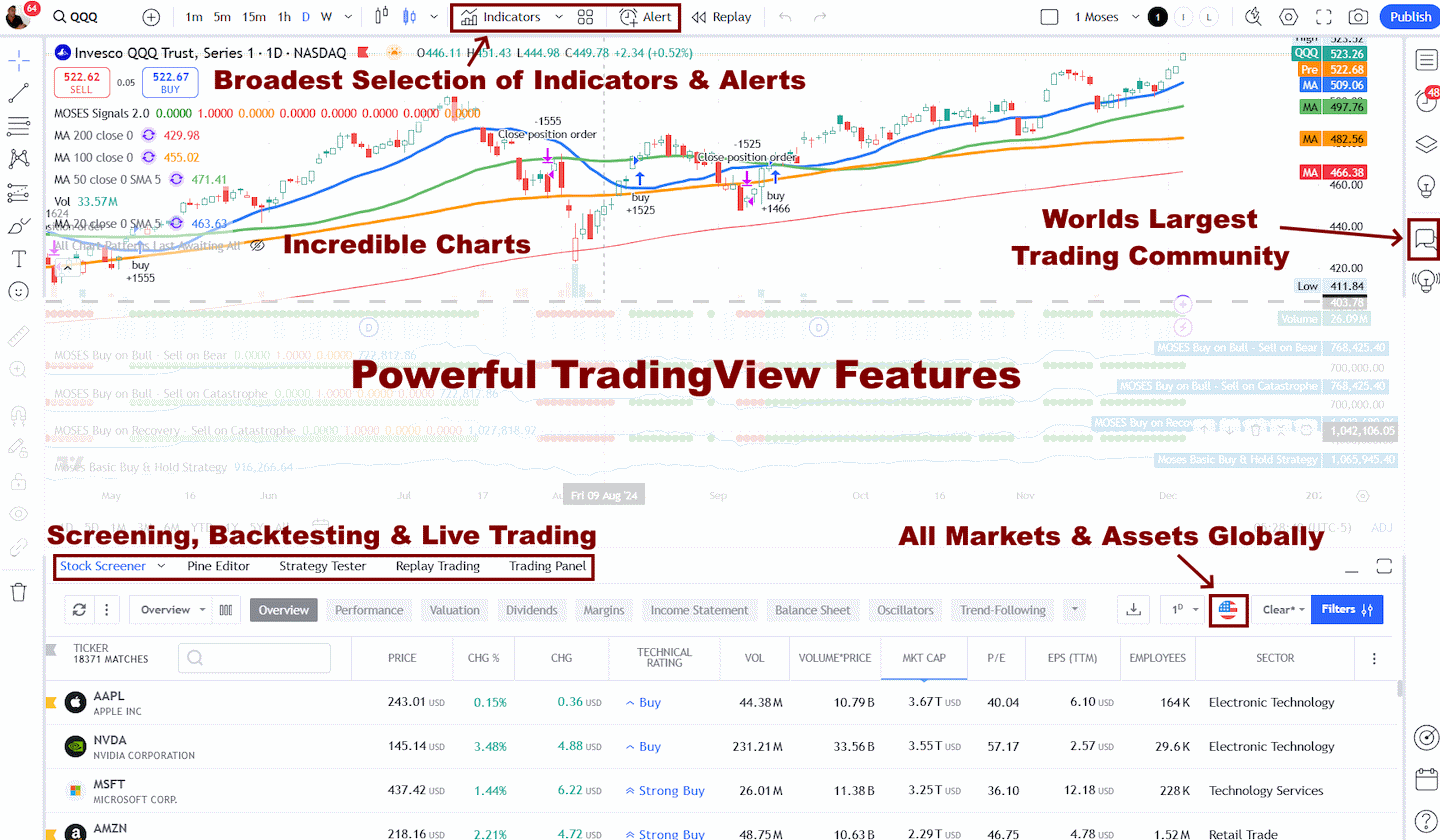
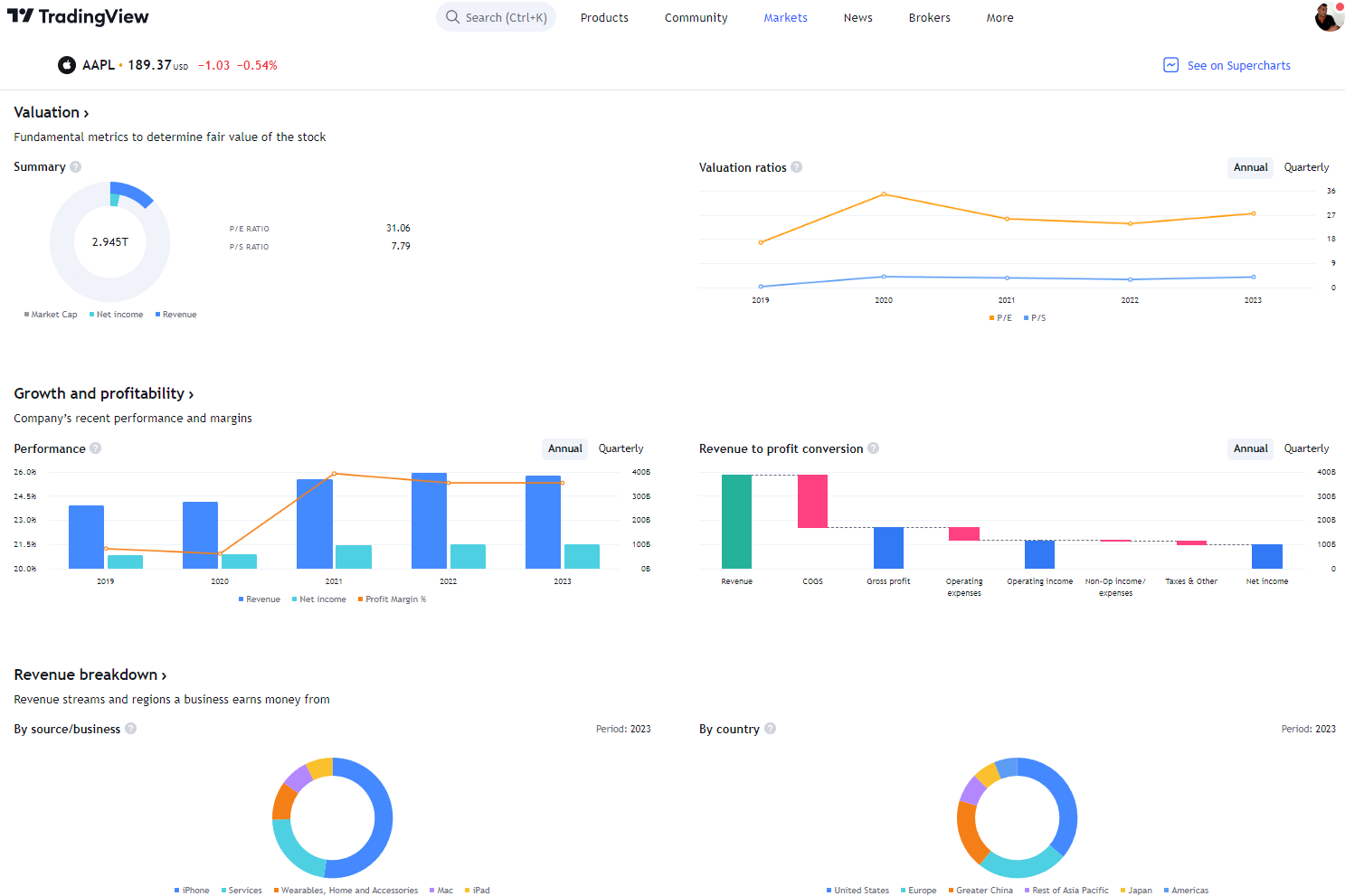
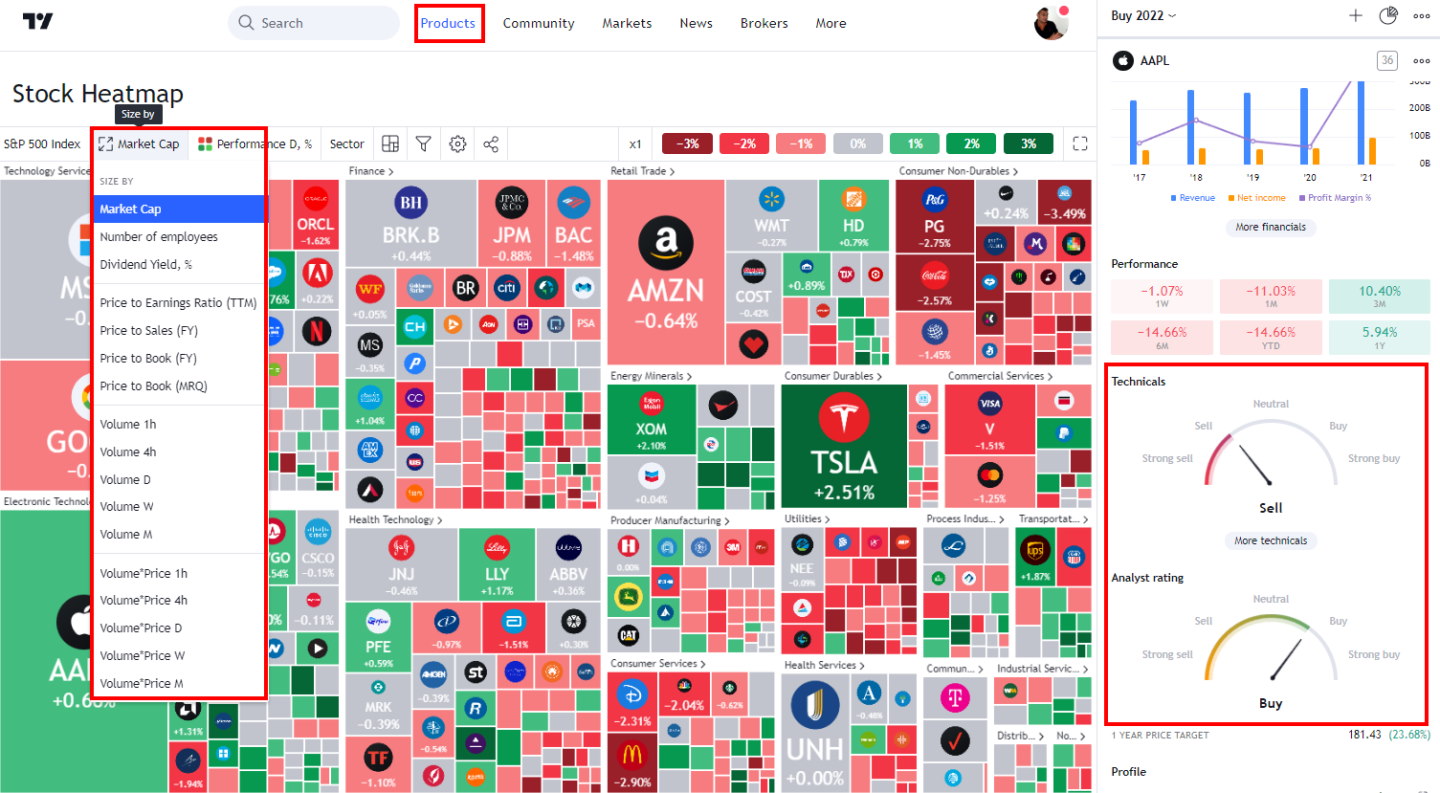
TradingView provides best-in-class technical analysis tools to analyze financial markets. It offers heatmaps, super charts, indicators, strategy development tools, and backtesting capabilities.
Its vibrant community of traders shares ideas, strategies, and custom indicators, making it an invaluable resource for learning and collaboration.
Key Takeaways
- MetaTrader focuses on trading execution and automation, while TradingView emphasizes analytical capabilities and social trading features.
- TradingView offers a modern, intuitive interface with superior charting tools compared to MetaTrader’s more technical but powerful trading environment.
- Your choice between platforms should align with your primary focus—analysis and community insights (TradingView) versus direct execution and automated strategies (MetaTrader).
- MetaTrader offers direct broker integration and advanced automation, making it ideal for those focused on execution.
- TradingView offers a more intuitive interface and superior social features, benefiting traders who value community insights and visual analysis.
MetaTrader Lab Results
MetaTrader scores well on execution ecosystem depth and automation potential. Still, it underperforms in native-market scanning breadth and built-in pattern depth relative to research-first scanners or AI-native platforms.
| Test | Tier | Score | Average (Median) |
|---|---|---|---|
| Lab Test Composite Score (CLPS) | A | 4.19 | 4.21 |
| Pricing Index | AAA | 5.00 | 4.29 |
| Value Score | C | 2.48 | 2.82 |
| Speed & Ease of Use | A | 4.00 | 4.50 |
| Chart Analysis Depth Index | C | 2.72 | 3.17 |
| Chart Pattern Depth & Accuracy | C | 2.55 | 2.73 |
| Scanning Performance | C | 0.88 | 3.38 |
| Backtesting Performance | B | 3.00 | 3.38 |
| Trading Bot & Auto-Trading Reliability | B | 3.50 | 2.50 |
| AI & Algo Index | C | 2.00 | 2.00 |
| Alert Speed | B | 3.67 | 3.67 |
| Trade Signal Quality | C | 0.00 | 0.00 |
| Broker Connectivity & Ecosystem Depth | AAA | 5.00 | 2.00 |
| Portfolio Tool Performance | C | 2.90 | 2.80 |
| Financial News Speed & Depth | B | 3.00 | 2.80 |
| Community Utility Index (CUI) | AAA | 5.00 | 3.25 |
| Support Infrastructure & SLA Audit | C | 1.00 | 3.75 |
Tested using benchmarking system v3.
See the 2026 v3 58-point MetaTrader test and benchmarks.
Pros
✔ Broker Connectivity
✔ Community
✔ Trading from charts
✔ Free with selected brokers
✔ Custom indicators
✔ AAA Broker connectivity and asset coverage
✔ 100,000+ user-generated strategies
✔ Free and low-cost plans
✔ Flexible backtesting with Pine Script
Cons
✘ Dated Interface
✘ Pattern Recognition
✘ SLA
Composite Lab Performance Score
TradingView wins overall with a Composite Lab Performance Score of 4.75, reflecting a more complete platform: stronger charting, better scanning, deeper pattern recognition, faster usability, broader portfolio tools, and stronger support. TradingView is the better research and analysis platform;
MetaTrader’s score 4.19 is still solid and sits near the benchmark median, but it is driven by different strengths: broker execution, Expert Advisors, custom indicators, and a massive automation ecosystem. MetaTrader is the stronger traditional execution terminal for FX/CFD traders.
Understanding TradingView
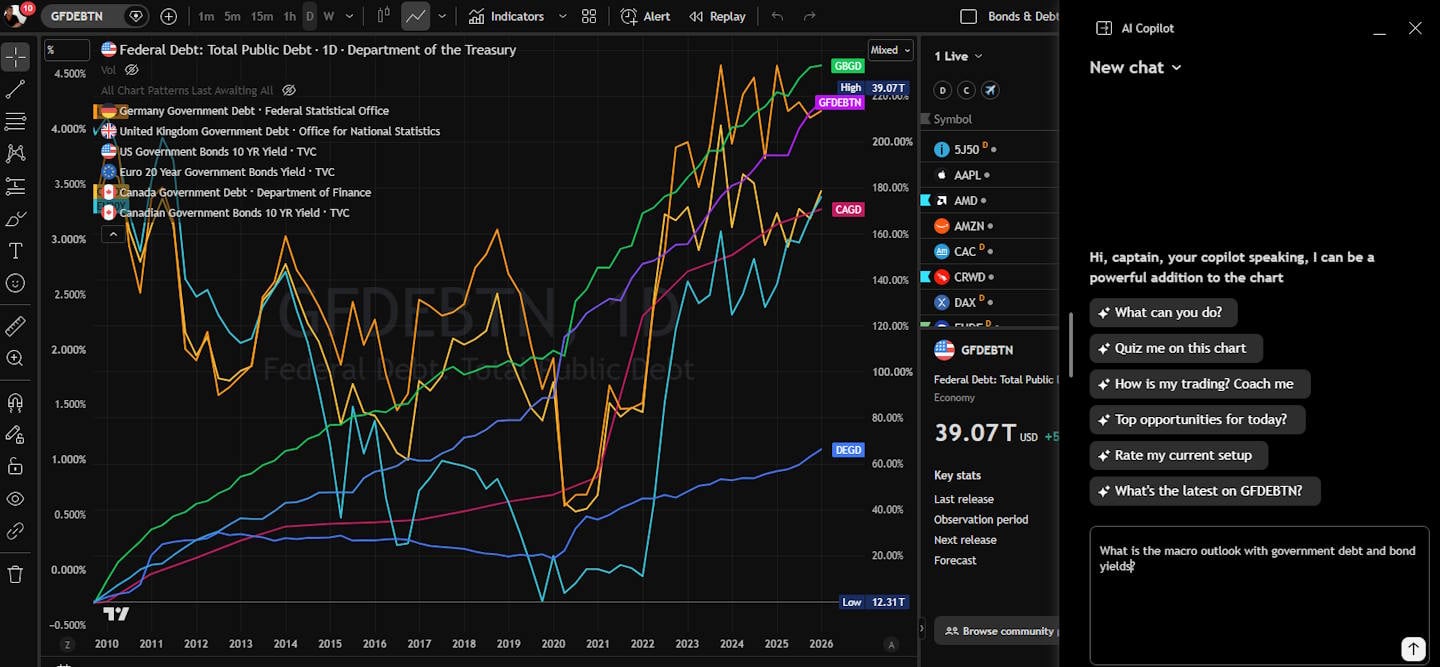
My TradingView review highlights its powerful charting capabilities and social networking features for traders. Its browser-based architecture ensures accessibility across multiple devices, including Mac and Linux systems, without requiring downloads.
TradingView offers smooth charting and the broadest selection of technical indicators and drawing tools. Its clean, modern interface is particularly appealing to novice and experienced traders.
TradingView excels in providing a collaborative environment where over 20 million users share ideas and strategies. The social aspect allows traders to follow experts and learn from community insights.
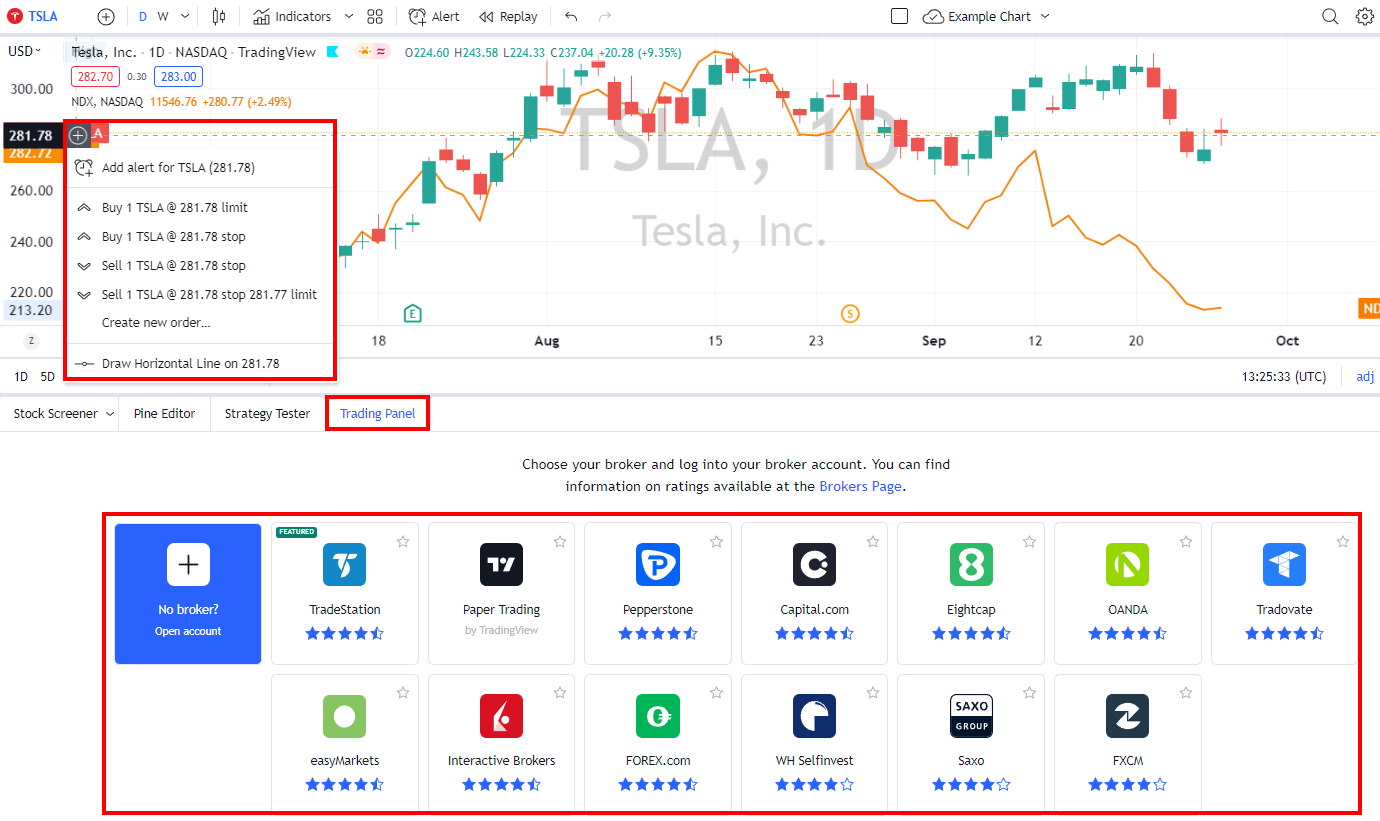
The platform integrates with over 30 brokers, though these connections typically occur through partner relationships rather than direct API access. Its premium subscription tiers unlock advanced features like multiple charts and custom indicators.

Exploring MetaTrader 4/5
MetaTrader 4 and 5 remain industry standards despite their somewhat dated visual presentation. The platform focuses on robust functionality and reliability for serious traders.
MT4’s strength lies in its algorithmic trading capabilities through Expert Advisors (EAs). These automated trading systems can execute strategies without constant human intervention. The MQL4 programming language provides a framework for creating custom indicators and trading robots.

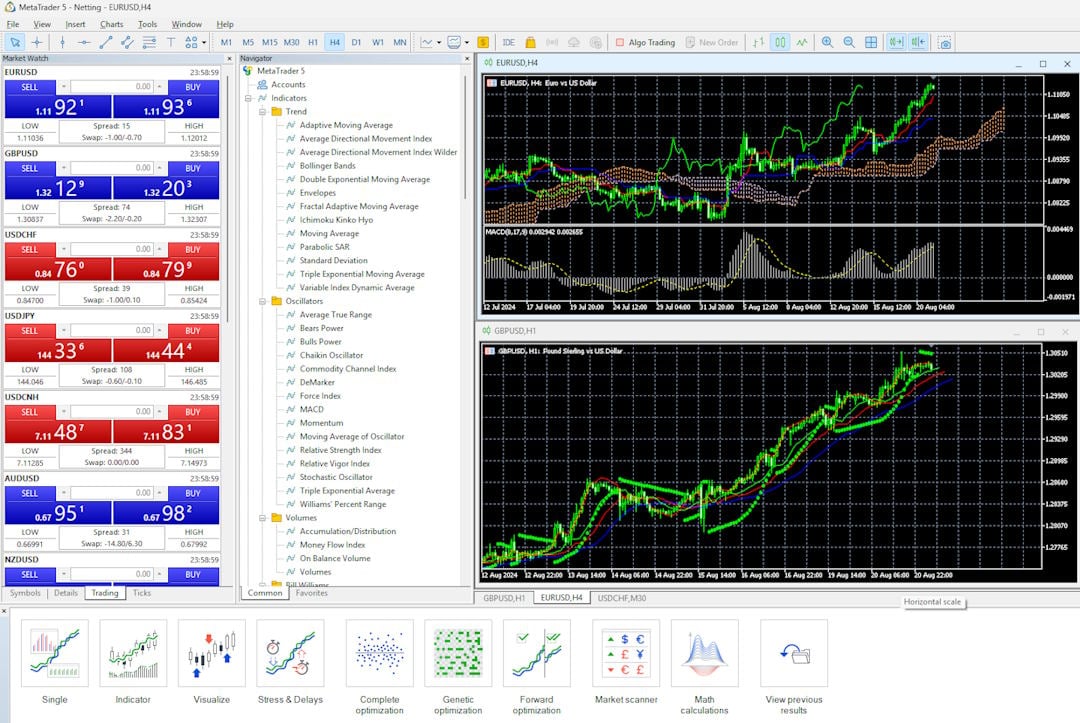
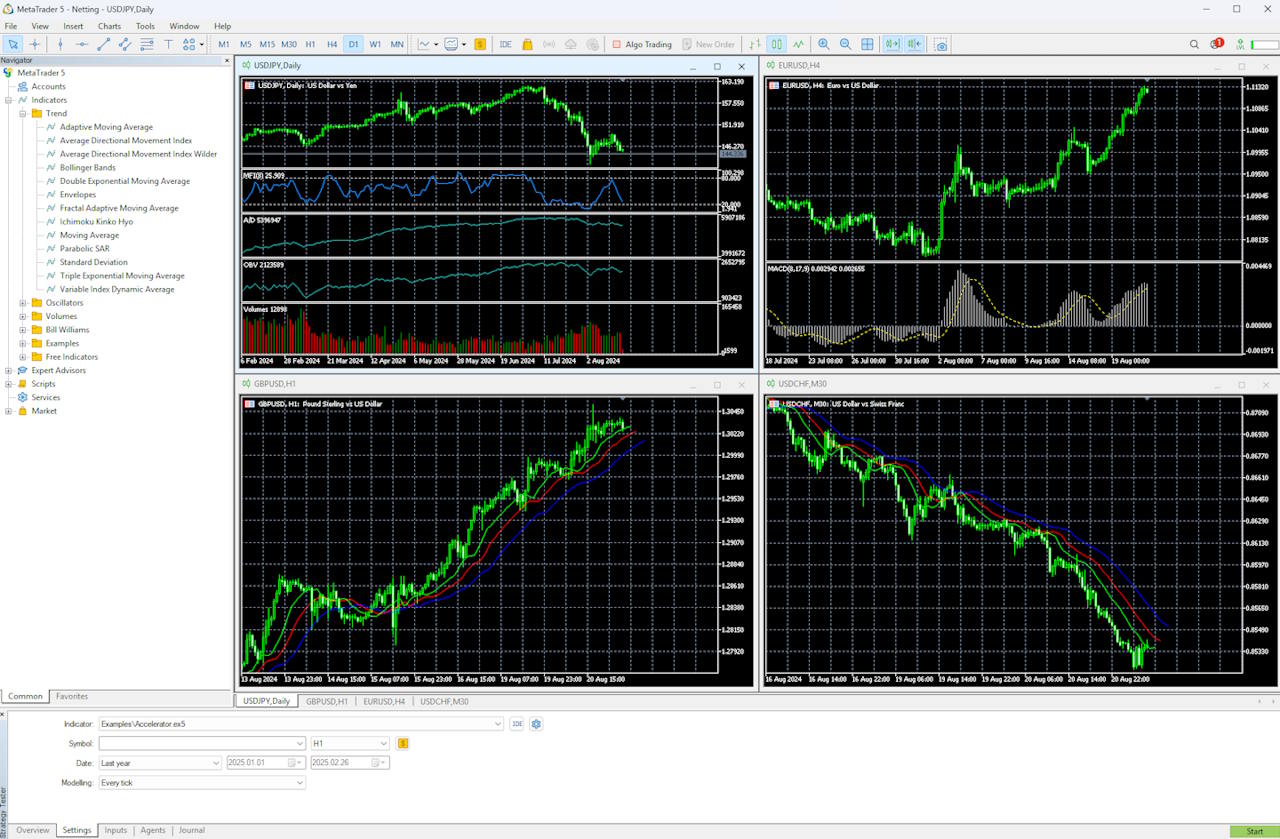
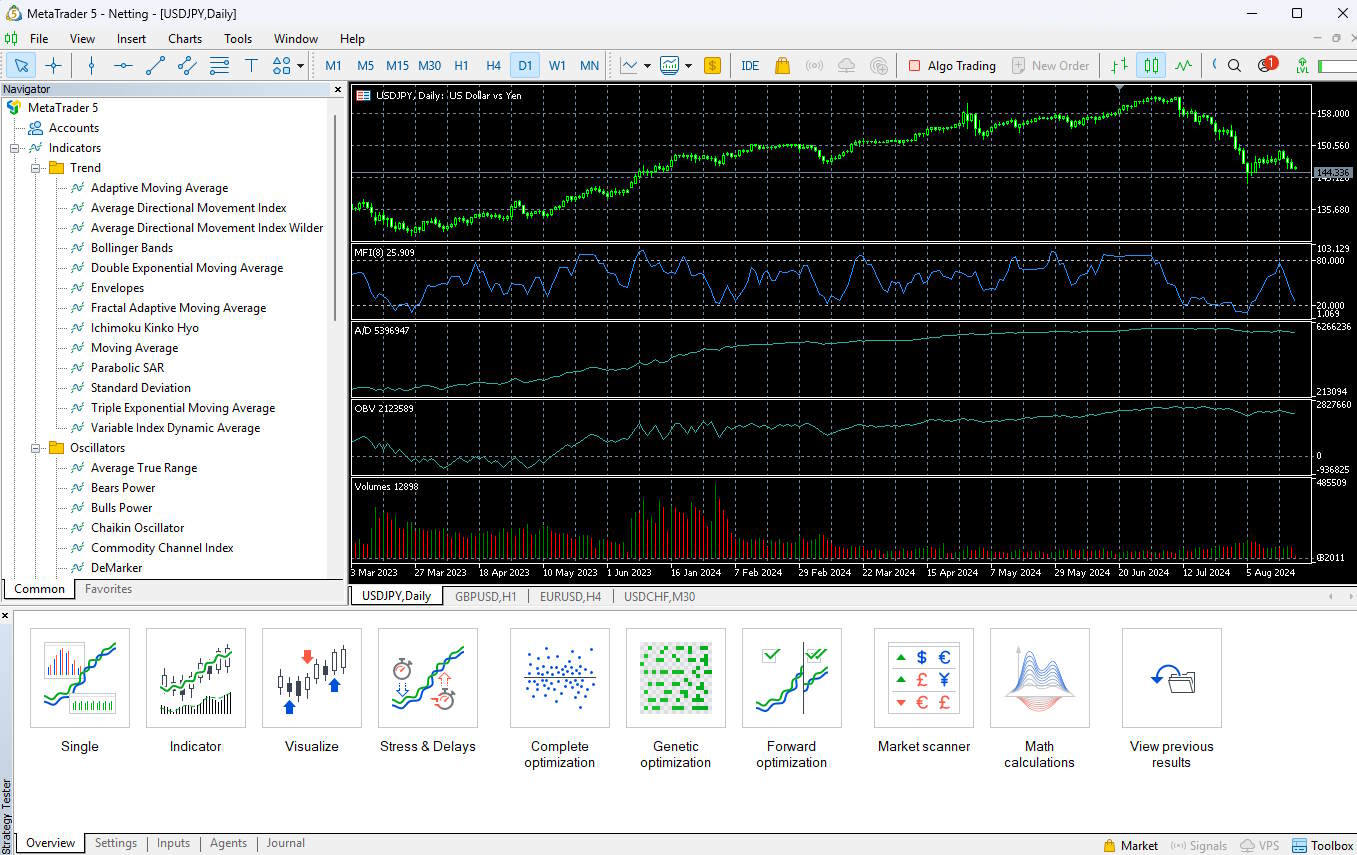
The platform supports multiple order types, including market orders, pending orders, and stop losses. Its execution speed and stability make it particularly suitable for high-frequency trading strategies.
I appreciate MT4’s comprehensive charting tools despite the less modern interface. The platform offers deep market access across forex, commodities, and CFDs markets, with customization options to tailor the experience.
MT4’s architecture allows for extensive add-ons and modifications, making it highly adaptable to specific trading requirements despite its aging framework.
Pricing Index
TradingView costs $1.97 per day in my minimum viable real-time setup, below the benchmark median of $2.74/day, making it efficient for the breadth of tools included.
MetaTrader is different because it is usually broker-distributed, so it often has no direct platform subscription fee, but costs are embedded in spreads, commissions, data, broker conditions, and execution quality. That makes MetaTrader practically cheaper for many forex traders, but less clean to compare in a strict cost-per-day subscription model. TradingView is the clearer paid-platform value; MetaTrader is the lower-friction broker terminal.
TradingView pricing starts at $0 for the Basic, ad-supported plan, which includes ad-supported screening, charting, trading, scripting, backtesting, and three indicators per chart. The Free plan is a great way to test the service.
TradingView Essential costs $12.95/mo on an annual plan and is ad-free. It includes two charts per layout, five indicators per chart, and 20 alerts. It is ideal for beginners and also enables access to the full social network.
The annual Plus Plan at $29.95/mo adds four charts per tab, 100 alerts, and advanced Renko, Kagi, Point & Figure, and Line Break charts.
I personally use TradingView Premium at $59.95/mo annually; it offers the optimal balance of price and key functionality: 25 indicators per chart, 400 alerts, and, most importantly, automated chart pattern recognition.
It is designed for intermediate and advanced-level traders who seek the optimal balance between functionality and price.
See our TradingView Pricing Guide for further details and discounts.
In contrast, MetaTrader is generally free to download and use through brokers. This gives it an immediate cost advantage for traders on tight budgets.
The value proposition differs significantly between platforms. TradingView’s paid plans unlock advanced charting tools, additional indicators, and extended historical data that aren’t available in the free version. Meanwhile, MetaTrader users typically don’t pay for the platform itself but may face limitations depending on what their broker offers.
Value Score (VP)
TradingView wins Value Score decisively, scoring 4.37 versus MetaTrader’s. TradingView’s value advantage comes from its breadth: 17 meaningful core features, full device support, global data access, charting, screening, alerts, broker integrations, Pine Script, community scripts, and backtesting in one platform.
MetaTrader’s value is narrower but powerful: it is OK if you want FX/CFD execution, Expert Advisors, custom indicators, and broker-linked automation. TradingView provides greater overall utility to most traders; MetaTrader offers better specialized value to forex automation users.
Speed & Ease of Use
TradingView wins Speed & Ease of Use with a perfect 5.00 versus MetaTrader. TradingView loaded charts in 1.55 seconds, scored 5.00 for time-to-chart, delivered 20 ms multi-chart latency, and completed key workflows in 2 clicks.
TradingView features a modern, web-based interface that feels immediately intuitive even for beginners. The platform offers a clean, customizable workspace with drag-and-drop functionality, allowing me to arrange multiple charts and widgets to suit my preferences. I can easily modify chart types, timeframes, and indicators through clearly labeled buttons and menus.
TradingView’s social integration is seamlessly built into the interface, with commenting and idea-sharing features available directly from charts. This creates a unique collaborative experience not found in most trading platforms.
The platform also offers excellent cross-device compatibility. I can access the same familiar interface whether I’m using the web version, desktop application, or mobile app, with all settings synchronized.
MetaTrader 5 presents a more traditional trading interface with a classic layout divided into four main windows: Market Watch, Navigator, Chart Area, and Terminal. This structured approach may feel dated compared to TradingView, but it offers efficiency for experienced traders.
MetaTrader is still fast on desktop, with 50 ms multi-chart latency and strong multi-monitor responsiveness, but it feels more traditional and less polished. TradingView is faster for modern charting workflows; MetaTrader is fast for execution-focused desktop trading.
MT5’s strength lies in its trading-focused design. Order placement, position management, and execution are more streamlined than in TradingView, with direct market access features built into the core experience.
MetaTrader’s interface remains consistent across installations, which appeals to traders who value reliability over modern aesthetics. The mobile experience, while functional, doesn’t match the seamless transition TradingView offers between devices.
Both TradingView and MetaTrader offer distinctive approaches to meeting traders’ needs. TradingView is a slick, modern platform that seamlessly combines global data for stocks, bonds, currencies, futures, crypto, and options. MetaTrader is an old-school desktop app that focuses on Forex and stocks but excels in algorithmic trading.
Chart Analysis Depth Index
TradingView wins Chart Analysis Depth, scoring 5.00 versus MetaTrader. TradingView offers 21 chart types, 400 indicators, full 5.00 indicator depth, and 5.00 custom indicator coding through Pine Script.
TradingView outperforms MetaTrader with its broad selection of charts, indicators, and drawing tools for technical analysis. TradingView delivers modern, visually appealing charts that stand out in the trading platform landscape. I find its interface intuitive and highly customizable, allowing traders to adjust almost every aspect of chart appearance.
MetaTrader’s charting is functional and highly extensible through MQL indicators, but its native chart depth is limited; the MetaTrader audit lists Chart Depth as one of its weakest scores at around 0.90. TradingView is the superior visual analysis platform; MetaTrader relies more on custom indicators and add-ons.
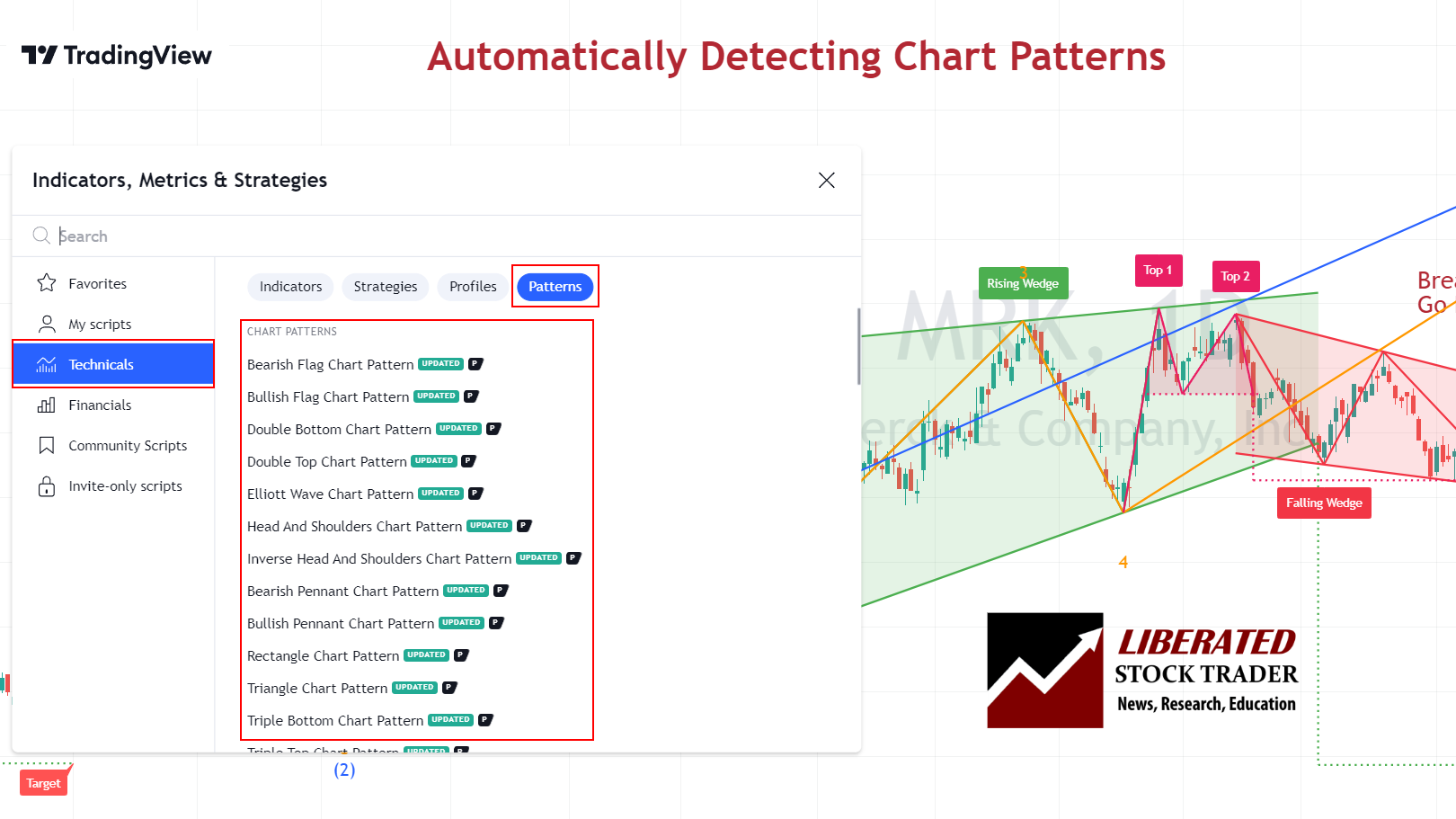
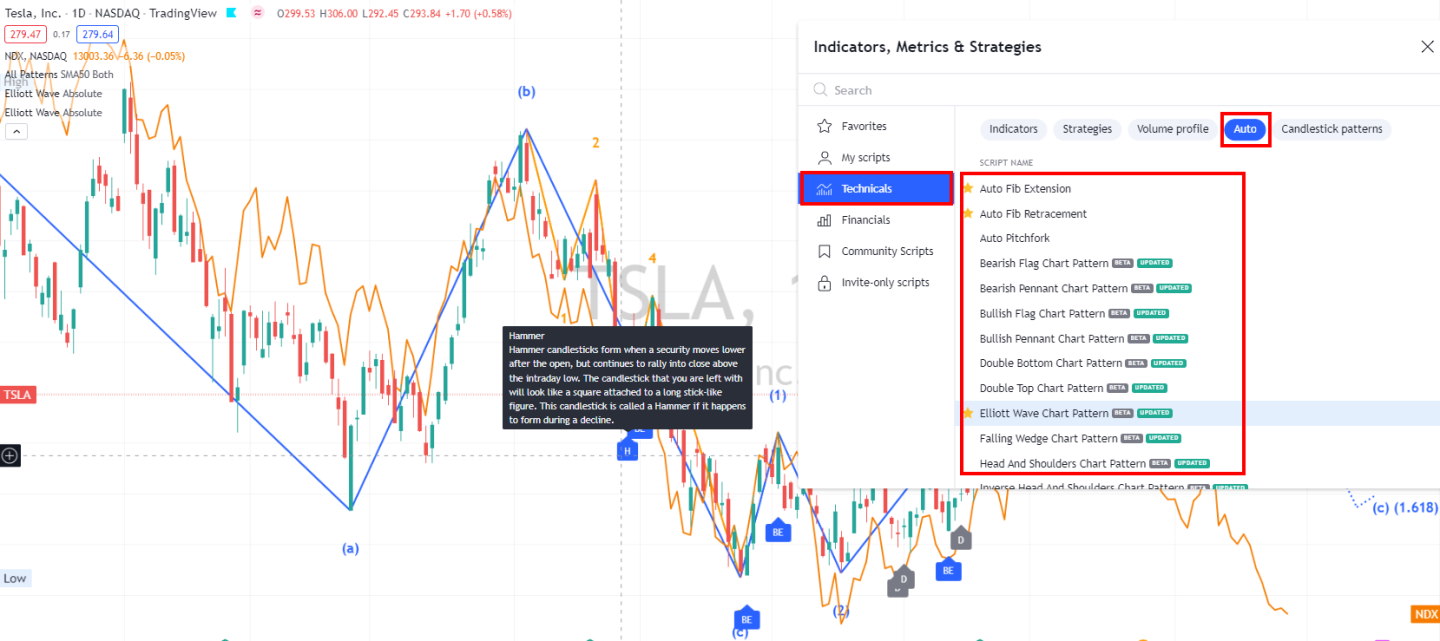
TradingView offers 20 chart types, including Renko, Kagi, and Point & Figure, plus over 150 indicators, including advanced pattern recognition, a specialized option not commonly found elsewhere. Drawing tools are particularly impressive, with over 100 available options ranging from basic trend lines to complex Fibonacci retracements.
MetaTrader has only line, bar, and candle charts, but its indicator library features over 100 built-in technical indicators, covering all essential analysis tools. The platform excels in customization potential through MQL4/MQL5 programming.
Traders can create or modify indicators to match specific trading strategies. This programming capability sets MetaTrader apart for algorithmic traders who need precise technical analysis tools.
While less visually polished than TradingView’s indicators, MetaTrader offers greater precision for strategy backtesting and automated trading implementation.
Chart Pattern Depth & Accuracy
TradingView wins Pattern Recognition, scoring 3.98 versus MetaTrader. TradingView recognized 97 total patterns, including 44 candlestick patterns and 53 chart price/trend patterns, with 95% tested accuracy and 4.75 accuracy points.
MetaTrader’s pattern-testing accuracy is decent, but its native pattern library is much thinner, with the audit noting shallow pattern depth and frequent reliance on add-ons such as Autochartist. TradingView is better for built-in pattern workflows; MetaTrader is better when pattern tools are added through the broker/plugin ecosystem.
Scanning Performance
TradingView dominates Scanning Performance, scoring 4.83 versus MetaTrader. TradingView’s scanner is fast and broad, with a 7 ms S&P 500 scan benchmark, 360 scanning criteria, 4.50 criteria depth, and 5.00 custom code scanning.
MetaTrader is structurally weaker here: the audit reports 2500 ms scanner performance, only 60 criteria, and low criteria depth. MetaTrader is not a discovery-first platform; it is an execution and automation terminal. For market-wide idea discovery, TradingView wins easily.
Backtesting Performance
TradingView wins Backtesting Performance by a wide margin, scoring 4.19. TradingView’s advantage is raw testing speed and accessible Pine Script strategy testing: it recorded 7 ms backtest speed, 5.00 speed points, 5.00 flexible coding backtesting, and strong report quality.
TradingView’s backtesting system uses Pine Script, its proprietary coding language. I find it relatively intuitive to learn, even for traders without programming experience. The platform enables testing strategies across multiple symbols simultaneously, saving considerable time.
MetaTrader remains important for automated forex traders because it offers 5.00 flexible coding and backtesting via Expert Advisors, though its overall backtesting score is weaker. TradingView is better for strategy research; MetaTrader is better for EA-specific testing and deployment.
MetaTrader uses MQL4/MQL5 for strategy creation and testing. These languages offer more robust capabilities but present a steeper learning curve. MT4/MT5’s Strategy Tester provides detailed performance reports with drawdown analysis and profit factors.
A key difference is processing power. TradingView handles backtesting on its servers, eliminating hardware constraints. Meanwhile, MetaTrader runs locally on your computer, so performance depends on your hardware specifications.
Trading Bot & Auto-Trading Reliability
This category is effectively a tie, with TradingView and MetaTrader both scoring 3.50. TradingView’s automation is built around Pine Script, alerts, broker integrations, and webhook-style handoffs, making it strong for semi-automated workflows. MetaTrader’s automation is more execution-native: Expert Advisors can run directly inside the terminal and connect to broker execution, which is why MetaTrader remains a default platform for forex automation. TradingView is better for flexible strategy design and alert logic; MetaTrader is better for deployed EA trading.
AI & Algo Index
TradingView wins AI & Algo, scoring 3.00 versus MetaTrader’s 2.00. Neither platform is truly AI-native in the modern machine-learning or LLM sense, but both support algorithmic workflows. TradingView’s advantage is Pine Script transparency, community-shared scripts, and broad strategy/alert design.
MetaTrader’s advantage is MQL and Expert Advisors, but the audit notes that MetaTrader has AI Layer = 0, meaning any AI capability usually comes from external tools rather than the platform itself. TradingView is the stronger algo research environment; MetaTrader remains the stronger EA execution shell.
Alert Speed
TradingView wins Alert Speed, scoring 4.67. TradingView is excellent for scalable alerts because it supports technical alerts, script-based alerts, and automation handoffs; its alert system is one reason it works so well as a modern multi-asset platform.
MetaTrader’s alerts are useful and broker-terminal friendly, but less powerful as a cloud-connected alert ecosystem. For discretionary and semi-automated traders, TradingView’s alerting is more flexible; for EA-driven forex traders, MetaTrader alerts are usually secondary to automated execution.
Trade Signal Quality
TradingView wins Trade Signal Quality with 2.50. TradingView earns partial credit for its buy/sell gauges, community-generated scripts, strategy outputs, and visible signal-style tools, even though it is not an audited trade-signal vendor.
MetaTrader scores 0.00 because the platform itself does not provide audited vendor-level trade calls under the lab rubric. MetaTrader can run signals and EAs, but those come from third parties, brokers, marketplaces, or the trader’s own code. TradingView offers more built-in signal context; MetaTrader offers more external automation choice.
The trading capabilities of the two platforms differ significantly in the markets they offer and the execution options they provide. TradingView excels in analysis across multiple asset classes, while MetaTrader has historically been the preferred choice for direct trading execution.
TradingView offers access to a broader range of markets, including Forex, cryptocurrencies, commodities, and indices from global exchanges. Users can analyze over 100,000 financial instruments across these markets.
TradingView’s execution capabilities depend entirely on broker partnerships. While improving, its execution isn’t its primary strength. Users must connect to supported brokers via integrations, which can sometimes cause slight delays compared to native platforms.
TradingView compensates with superior alert systems and social trading features. Its script library allows users to discover trading strategies from other traders.
MetaTrader was originally designed specifically for forex trading, though MT5 has expanded to include stocks, CFDs, futures, and options. MT4 remains more limited, focusing primarily on Forex and CFDs.
MetaTrader platforms excel in trading execution with direct broker integration. They support multiple order types, including market, limit, stop, and trailing stops. MT5 adds more advanced order types, such as fill-or-kill orders, that are not available in MT4.
The platforms enable one-click trading and automated strategies through Expert Advisors, making them ideal for active traders and algorithmic trading systems.
Both platforms support cryptocurrencies, but TradingView typically provides more comprehensive coverage of crypto markets and pairs. For traditional forex trading, both platforms offer similar coverage of currency pairs.
I’ve found that traders focused on stocks, ETFs, and crypto generally prefer TradingView’s breadth, while dedicated forex traders might still lean toward MetaTrader’s specialized tools. For high-frequency trading, MetaTrader generally offers lower latency and more reliable execution, making it preferred for time-sensitive trading styles.
Broker Connectivity & Ecosystem Depth
This category is a draw at the top level: both TradingView and MetaTrader score 5.00, but for different reasons. TradingView wins as a modern multi-asset, chart-to-broker ecosystem with broad broker connectivity and global market access.
MetaTrader wins as a broker-distributed execution standard, especially in forex and CFD markets, with full live trading, broker integration, and asset/data coverage scores. The difference is strategic: TradingView integrates many brokers into a research-first platform; MetaTrader is itself the broker terminal many traders execute from.
MetaTrader dominates in broker integration, with over 750 brokers worldwide supporting MT4 or MT5. This extensive network makes it extremely easy to find compatible forex brokers for direct trading. The platform allows you to connect to multiple brokers through a single interface.
TradingView offers direct trading with approximately 50 connected brokers, fewer than MetaTrader, but this number continues to grow. Users can test platform features with a free account, though advanced functionality requires subscription plans starting with the Pro tier.
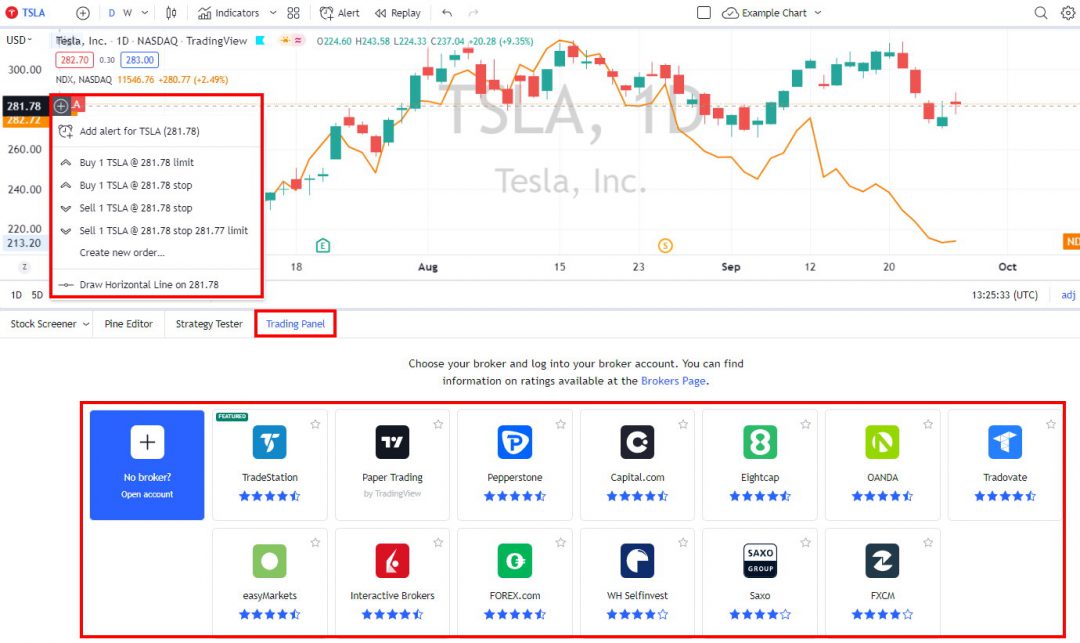
MetaTrader works well on Windows systems but requires third-party solutions on Mac. Meanwhile, TradingView, being web-based, operates consistently across all operating systems without compatibility issues. Many brokers offer free MetaTrader accounts, while TradingView provides a free tier with basic features and a 30-day free trial for premium plans.
TradingView excels with its cloud-based platform, which requires no installation. I can access it on any device with an internet connection by simply logging into my account through a web browser. This flexibility allows for seamless trading transitions between my desktop, laptop, and mobile devices. MetaTrader platforms (MT4 and MT5) traditionally require software to be installed on desktop computers. However, they’ve evolved to offer mobile apps and a WebTerminal solution, though with limited functionality compared to the desktop version.
Portfolio Tool Performance
TradingView wins Portfolio Tool Performance, scoring 3.60, offering broader portfolio-style monitoring, financial metrics, watchlists, and multi-asset analysis tools, making it more useful for traders who track more than just open positions.
MetaTrader 2.90 can track trading account performance, holdings, gains and losses, and execution history, but it is not a dedicated portfolio analytics platform. In practical terms, TradingView is better for research and portfolio awareness; MetaTrader is better for execution and ledger tracking for active broker accounts.
Financial News Speed & Depth
TradingView and MetaTrader both score 3.00 for Financial News Speed & Depth, but the experience is different. TradingView offers convenient integrated news and symbol context, useful for research and market awareness, but it is not a true breaking-news terminal.
MetaTrader’s news capability is broker-dependent: some brokers provide fast, integrated headlines, while others provide minimal or delayed news. For serious news trading, neither platform is the best standalone choice. TradingView is more consistent as a research news layer; MetaTrader varies heavily by broker feed quality.
Community Utility Index (CUI)
This category is also a top-level tie, with TradingView and MetaTrader both scoring 5.00, but the communities are completely different. TradingView’s community is social, visual, and research-led: traders share charts, Pine scripts, indicators, strategies, and trade ideas.
MetaTrader’s community is automation-led: users share Expert Advisors, indicators, scripts, signals, and marketplace tools. TradingView has the better community for idea discovery and chart-based learning; MetaTrader has the stronger automation marketplace and EA development culture.
Both platforms offer distinct approaches to automated and social trading capabilities. MetaTrader excels in powerful algorithmic trading through its robust Expert Advisors system, while TradingView shines with its community-driven approach that encourages sharing and collaboration among traders.
Social Trading with TradingView
TradingView excels as a social trading platform. Its vibrant community of over 20 million users shares ideas and strategies. The platform creates an environment where you can easily follow experienced traders, study their charts, and learn from their analyses.
TradingView also offers excellent algorithm trading through webhook integration with brokers.
TradingView’s Pine Script language enables users to create and share custom indicators, though it’s primarily designed for analysis rather than automated execution. The platform promotes collaborative learning through comments, likes, and follows.
I appreciate how TradingView’s social features reduce the isolation typically associated with trading. The reputation system helps identify consistently successful traders worth following.
Automated Trading on MetaTrader
MetaTrader 4 stands out with its sophisticated automated trading ecosystem centered around Expert Advisors (EAs). These trading robots execute trades based on pre-defined algorithms without requiring constant human intervention. The platform uses MQL4, a specialized programming language designed specifically for creating custom indicators and automated trading strategies.
I find MT4’s automation capabilities particularly beneficial for traders who want to eliminate emotional decision-making. The platform supports both simple and complex trading algorithms, enabling extensive backtesting on historical data to validate strategy performance before deploying real money.
MT4’s trading bots can operate 24/7, scanning markets for opportunities based on your specified parameters. Most EAs are customizable, letting traders adjust risk levels, trading pairs, and time frames to match their personal trading style.
Chart, Scan, Trade & Join Me On TradingView for Free. Join me and 20 million traders on TradingView for free. TradingView is a great place to meet other investors, share ideas, chart, screen, and chat.
Support Infrastructure & SLA Audit
TradingView wins Support Infrastructure, scoring 3.25, with a direct platform support model, ticket-based support, and roughly 24-hour response expectations in the audit.
MetaTrader’s support 1.00 is structurally weaker because retail users typically rely on their broker rather than on MetaQuotes directly; the audit notes no unified retail developer SLA and broker-dependent support quality. TradingView gives users a clearer support path; MetaTrader support depends almost entirely on the broker you choose.
🏁 Final Thoughts
TradingView is the best overall stock analysis and trading software. It is perfect for beginner and experienced traders, with a vibrant community and excellent charts, backtesting, scanning, and screening globally. The ratings section shows that TradingView is equal to or better than MetaTrader in every category. The key reason to go with MetaTrader is that it is offered for free by your broker.
